Ultima User Guide (c) Copyright by PaxeraHealth Corp. 2021
8.5.1. Regions
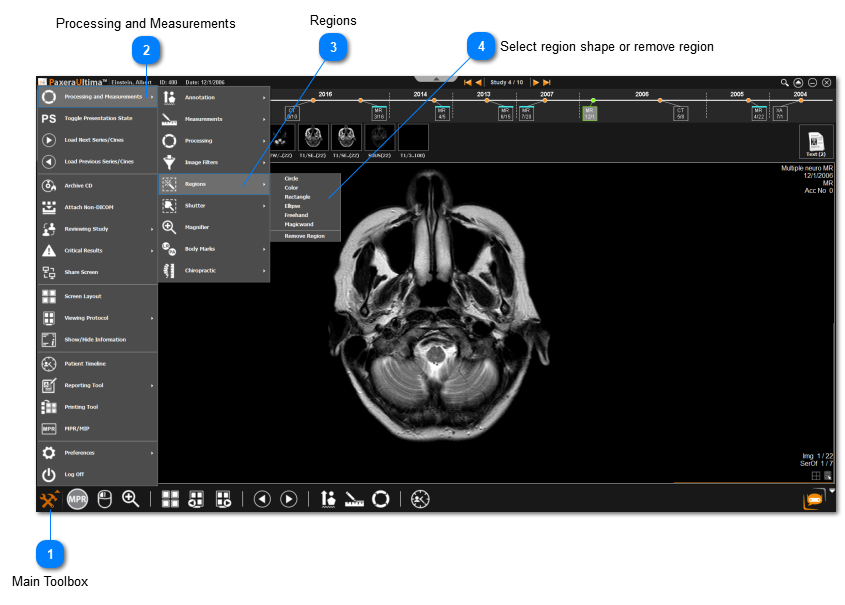
Regions are used to select a specific region of interest on the image.
Examples of the different regions of interest available:
Circle
Click & drag mouse from circle centre to create a circle
Color
Click on region and it will detect all the regions that dependent of that color
Rectangle
Click & drag mouse from the corner of the rectangle to create a rectangle
Elipse
Click & drag mouse from corner of elipse to create an elipse
Freehand
Hold in mouse click and draw freehand region of interest
Magic wand
Click on region of interst and magic wand will detect the area
Regions should be used in conjunction with another tool - i.e. Image processing and Image filters. This will apply the function to the specific region selected
Main Toolbox
Click on the Main Toolbox from the bottom left corner.