Ultima User Guide (c) Copyright by PaxeraHealth Corp. 2021
8.5.5. Image Processing
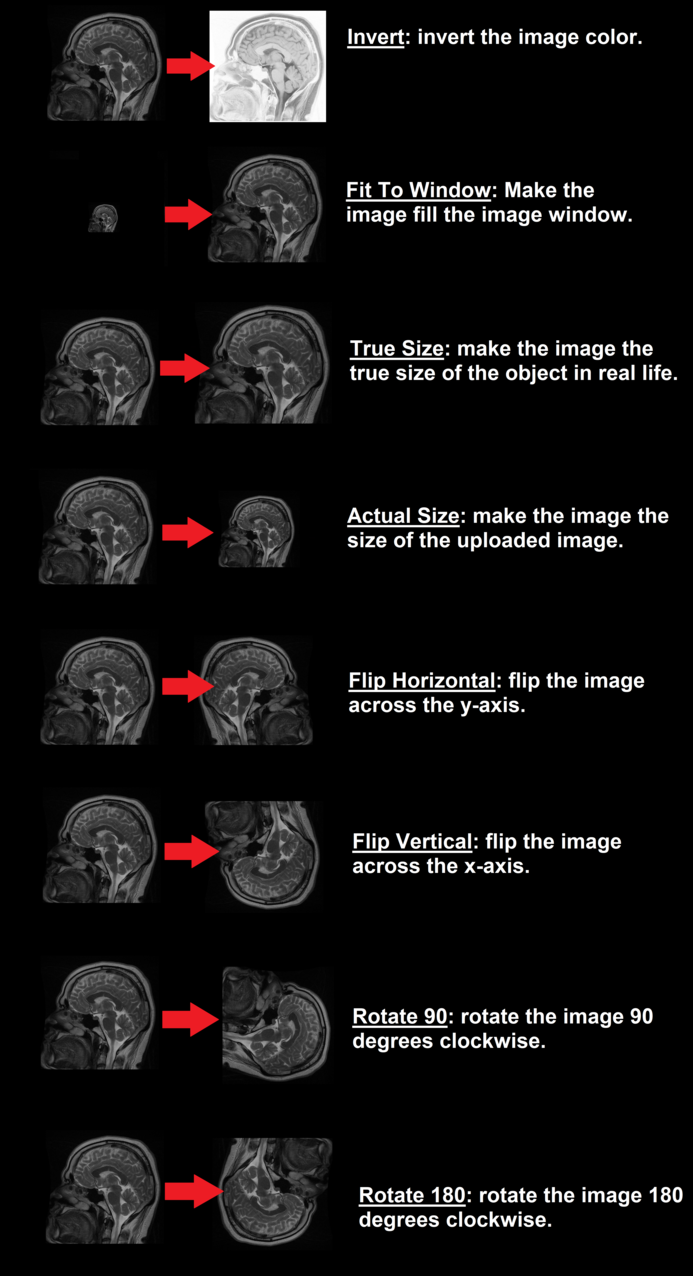
Image processing is used to invert, flip, rotate, and change the size of the image.
Examples of the different image processing options available:
Reset image processing
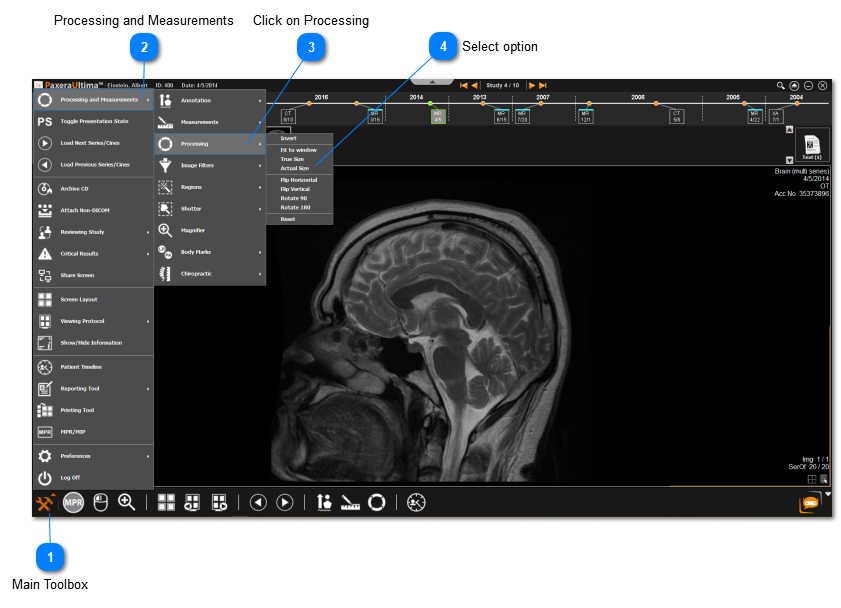
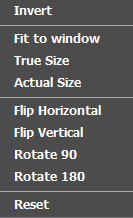
To reset the image to its original format (before any image processing was applied), simply go to the ‘Processing’ icon from the main toolbox and click on the last option: ‘Reset’.
Main Toolbox
Click on the Main Toolbox from the bottom left corner.