Ultima User Guide (c) Copyright by PaxeraHealth Corp. 2021
8.5.4. Edit Annotations and Measurements
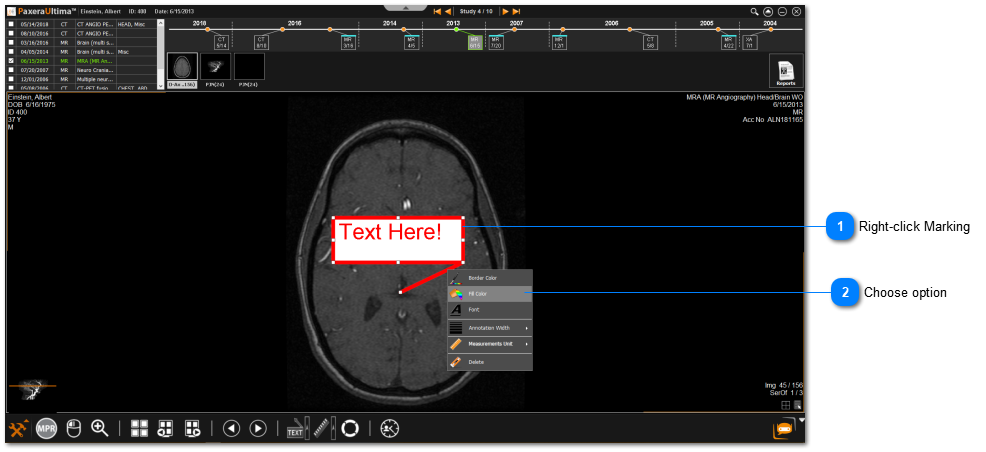
The appearance of the annotations and measurements can be changed, including the color of the lines, color of the text; font size, font appearance; and line thickness.
The changes / edits you can make on your annotation or measurement includes:
•Border color -change the color for the selected annotation
•Font- change the font type, size, color, and effect
•Annotation width -select thickness of annotation
•Measurement Unit -select unit of measurement
•Delete- delete selected marking
Alternative method to edit markings
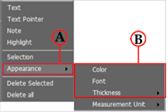
Once the marking (i.e. annotation / marking) of interest has been selected - instead of right clicking on it, the user can go to the anno- tations drop-down list and select ‘Appearance’ (A), to expand the appearance options list (B).
Alternative method to remove annotation
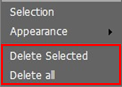
Once the annotation of interest has been selected - instead of right click- ing on it, the user can select the annotations drop-down list and select ‘Delete’ / ‘Delete all’