Ultima User Guide (c) Copyright by PaxeraHealth Corp. 2021
8.11.0. Compare Studies
The compare studies tool enables the user to view multiple studies concurrently. This is very useful for viewing current-priors studies of the same patient. For research purposes, it can also be used to com- pare different patients with the same pathology.
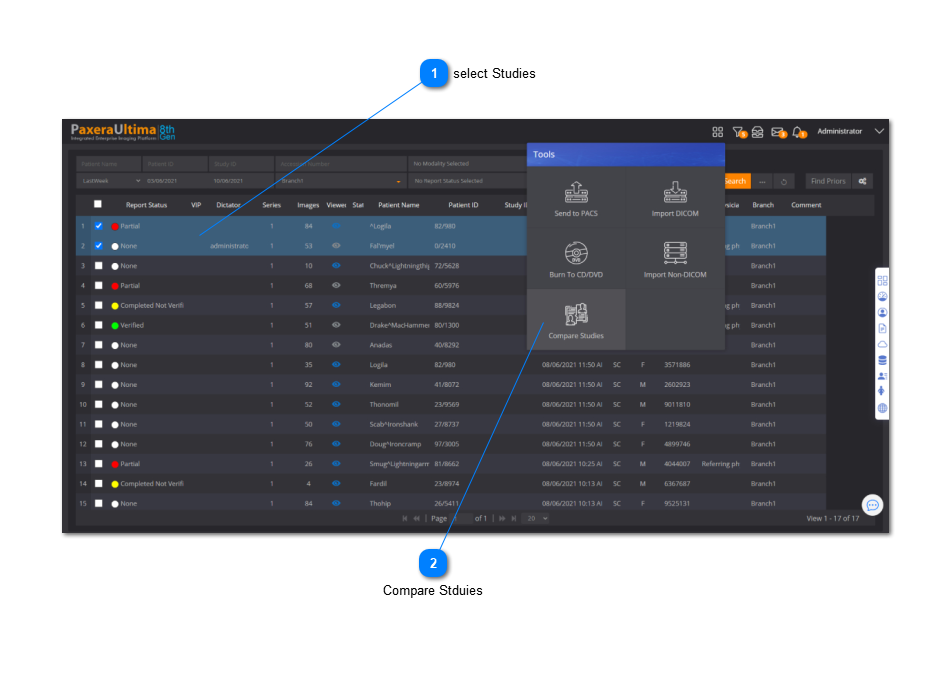
Select between 2 - 4 studies from the WorkList. Click on the ‘Compare studies’ button from the toolbox panel.
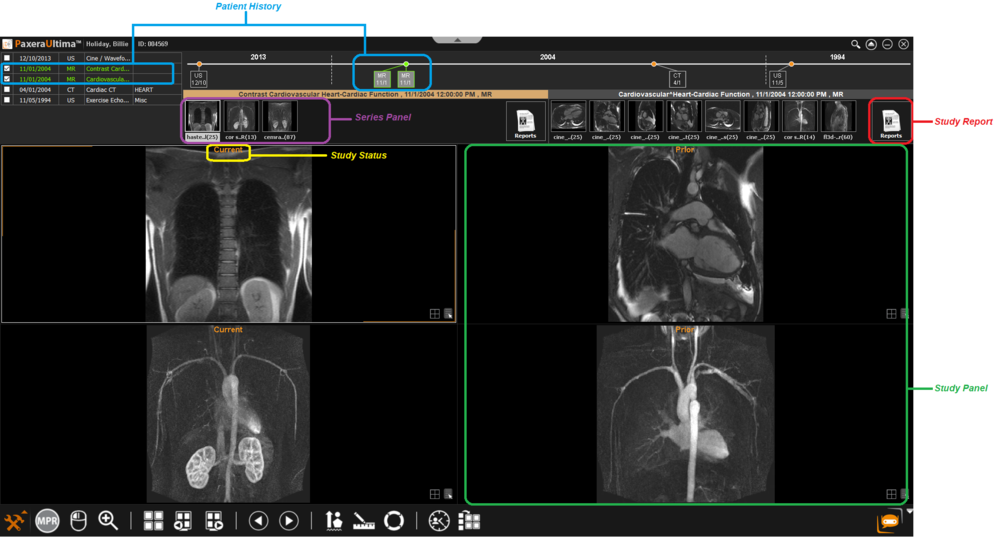
The desired studies will open in the same window of the study viewer. An overview is shown below:
• Patient history - shows the date and modality of the respective studies from the same patient. For different patients, this timeline/table will not be shown
• Study status in timeline - each study is titled to know the time acquisition order of each study. Labels include: ‘oldest’, ‘prior’, and ‘current’.
• Study panel - each study will have their own panel with a viewing window, a series panel, and a study icon
• Study series - shows all the series contained in that study