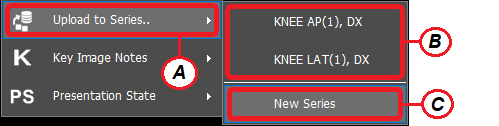
This tool enables the user to upload images to an existing or new series. Simply follow the instructions below:
-
Right click on the image of interest from the image viewer
-
A dropdown menu will appear, click on ‘Upload to Series’ (A) and then choose either an existing series (B) or a new series (C)
-
The selected images will be sent to a new / existing series.