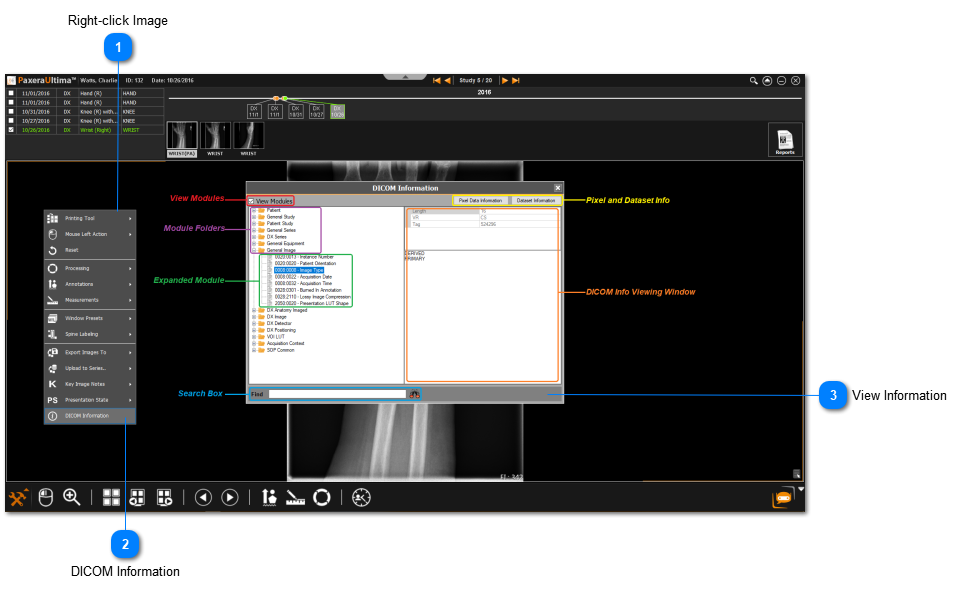
8.13.0. DICOM Information
This function allows the user to view all the DICOM information of the image. Follow the instructions below:
-
View Modules - select to reduce all module folders, and leave unselected to show expanded view of the module folders
-
Module Folders - show the reduced view of the module folders, click on the ‘+’ to expand the view of a specific folder
-
Expanded Module - shows all the information contained within the module folder
-
Search Box - used to located a specific piece of DICOM information Pixel & dataset info - click on either button to view its details.
-
DICOM Info. Viewing Window - shows the DICOM information that's selected from the module panel