Ultima User Guide (c) Copyright by PaxeraHealth Corp. 2021
8.10.1. Film Settings
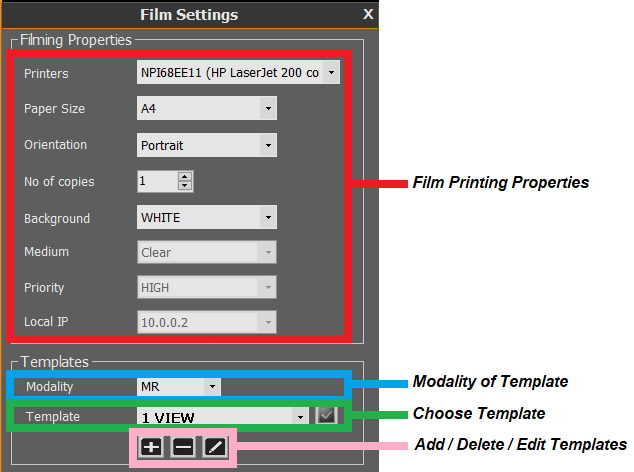
The film settings are used to choose a printer and to select the paper/film size, orientation, copies and priorities.
To access the film settings, click on the ‘Film settings’ button located in the bottom left corner of the filming tool screen and contains the following options: