To properly display this page you need a browser with JavaScript support.
Ultima360
User guide
×
Menu
Index
Search
Search
Search
19.0.0. Study Viewer Settings
19.3.0. Viewing Protocols
19.3.2. Apply, Edit, or Delete Existing VP
Previous page
Next page
Ultima User Guide (c) Copyright by PaxeraHealth Corp. 2021
To properly display this page you need a browser with JavaScript support.
19.3.2. Apply, Edit, or Delete Existing VP
To apply a specific VP, follow the instructions below:
1.
Open the VP preference.
2.
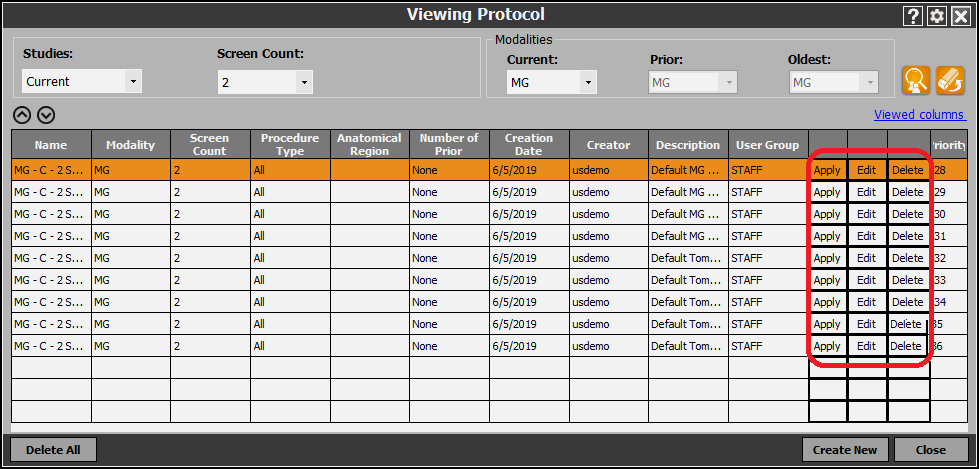
A new window will appear, click on the ‘Apply’ / ‘Edit’ / ‘Delete’ button of the VP of interest: