Ultima User Guide (c) Copyright by PaxeraHealth Corp. 2021
19.1.2. Filming Settings
The filming setting enables the user to add, edit, and delete DICOM printers; and to set the margins and other settings for the film. Follow the instructions below to learn how to use the film settings.
DICOM printer settings:
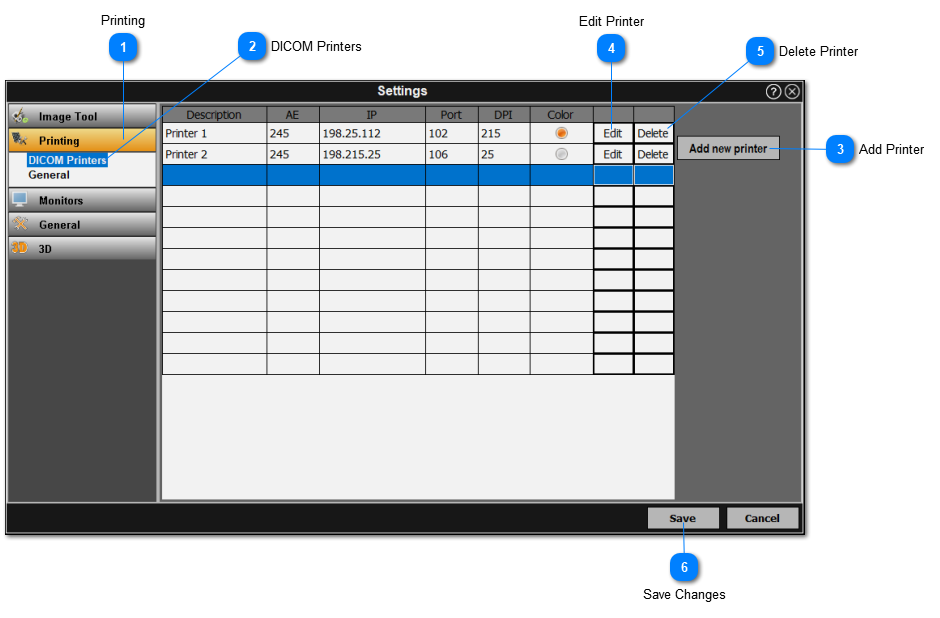
The DICOM printer settings are used to view, edit, add, or delete DICOM printers. Simply follow the instructions below:
Click on the 'Printing' section from the left panel.
Select 'DICOM Printers' from the menu.
Add a new printer by click on 'Add new printer' on the right side.
Edit an existing printer by clicking on 'Edit' adjacent to the printer-of-interest.
Delete an existing printer by clicking on 'Delete' adjacent to the printer-of-interest.
Save changes made within the 'DICOM Printers' option.
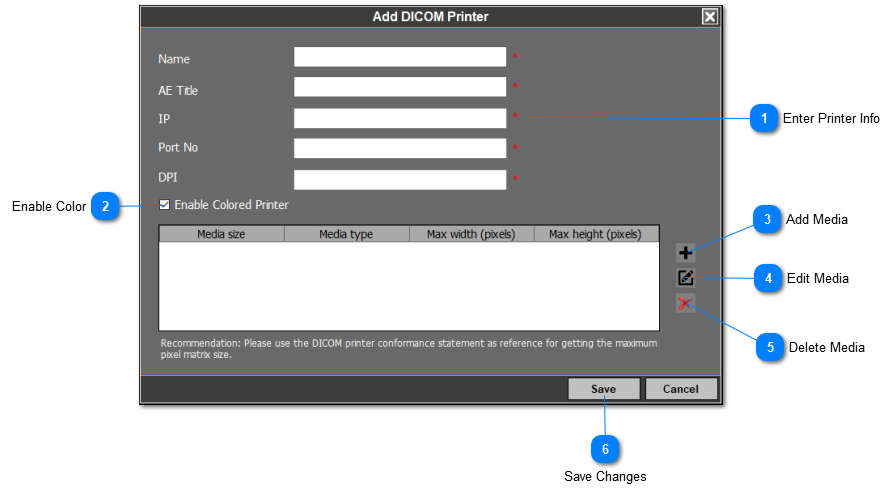
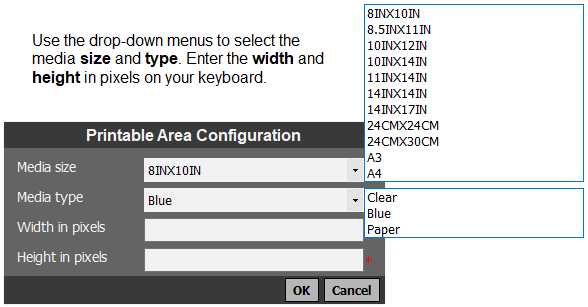
When adding a DICOM printer, the user must enter the following information (red asterisks indicate mandatory fields):
General film settings:
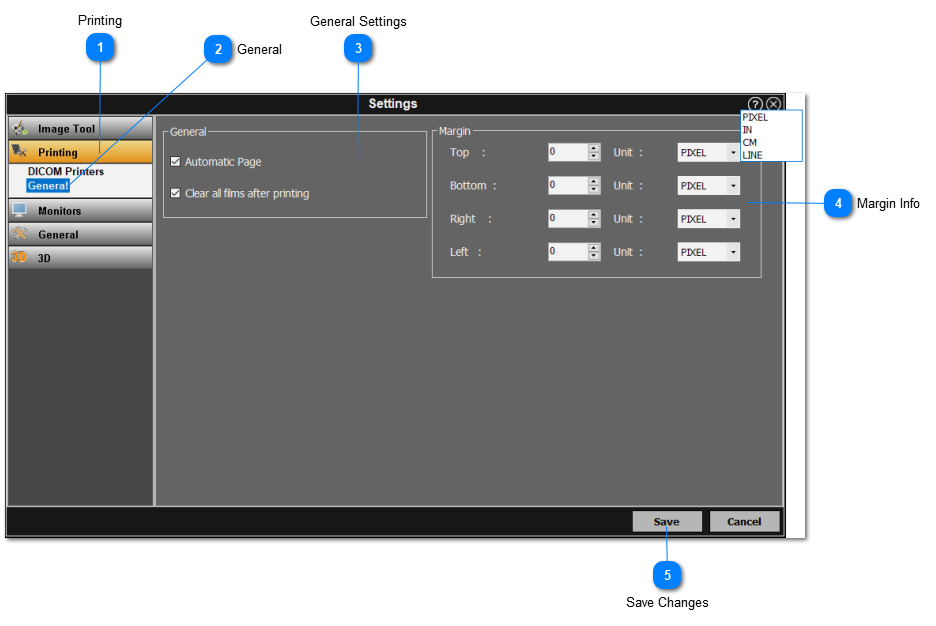
The general film settings enable the user set an automatic page to open, clear the films after printing and to adjust the margin sizes of the films.
Click on 'Printing' section from the left panel.
Select 'General' from the menu.
Check off the appropriate choices within the 'General settings' box.
Enter the margin value and unit using the up / down arrows and drop-down menu.
Save changes made within the 'General' option.
Printing Tool
For more information on the printing tool, click here.