9.3.8. Fusion Viewing Protocols
The fusion tool has a number of predefined viewing protocol templates.
 More on viewing protocols (VPs)
 To learn more about accessing the VP settings, click here.
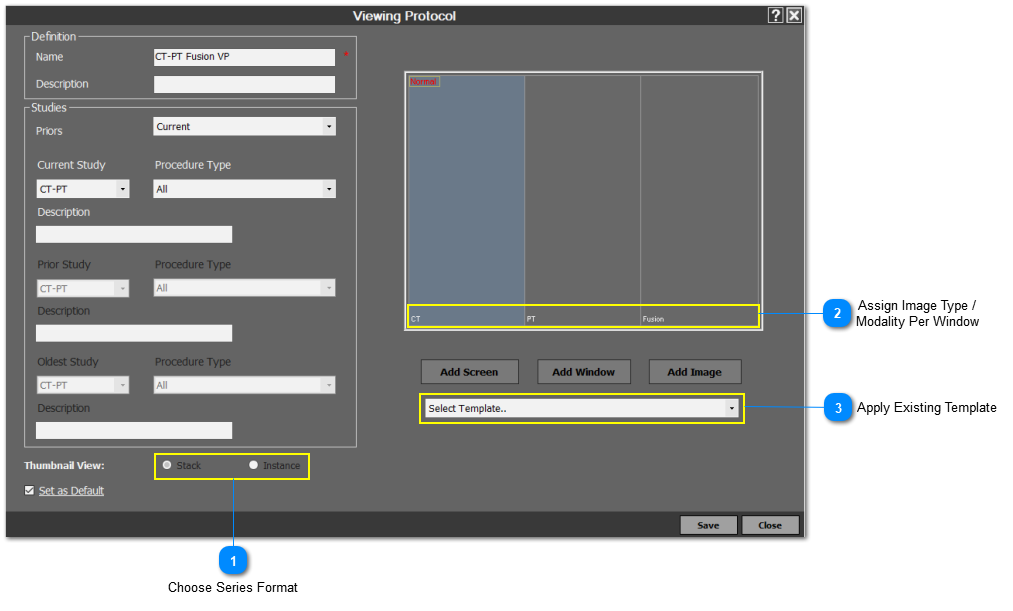
The VP editor is shown below:
» View the image position type label in the bottom left corner of each image window.
» Select a predefined template from the dropdown list of templates.
» Select a specific image window and then choose if the view should be stack or instance.
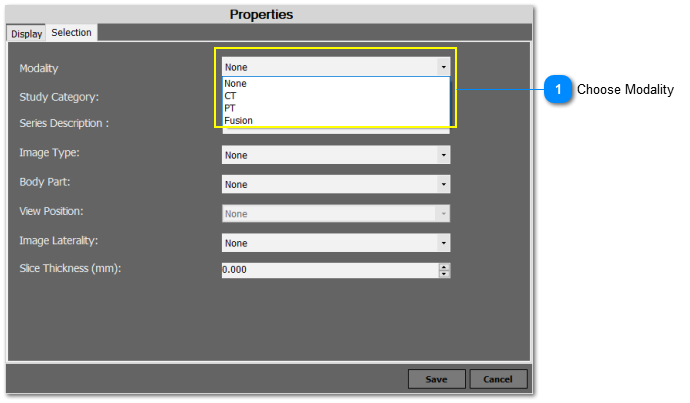
If the user double clicks on one of the image window from the VP editor, a new window containing the screen properties will appear as shown below:
» Modality - this option enables the user to specify if a image window should contain the CT, PET, fusion, or no image.