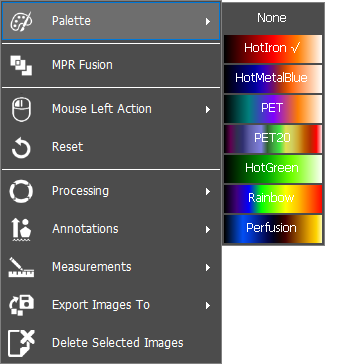
To change the color palette used on the fusion image, follow the instructions below:
1. Right click on the PET or fusion image. A dropdown list will appear, click on ‘Palette’ and then choose the color palette of interest:
» PET image - will change the color palette of the PET and fusion image
» Fusion image - will change the color palette of the fusion image only
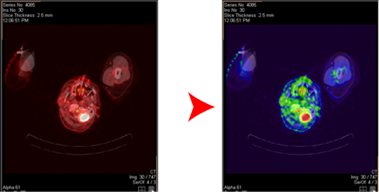
2. The fusion image will change to the new chose color palette, as shown below:
 Change default color palette
 The user can change the default color palette loaded in the Fusion settings, click here to learn more.