Ultima User Guide (c) Copyright by PaxeraHealth Corp. 2021
8.6.2. PS Editor
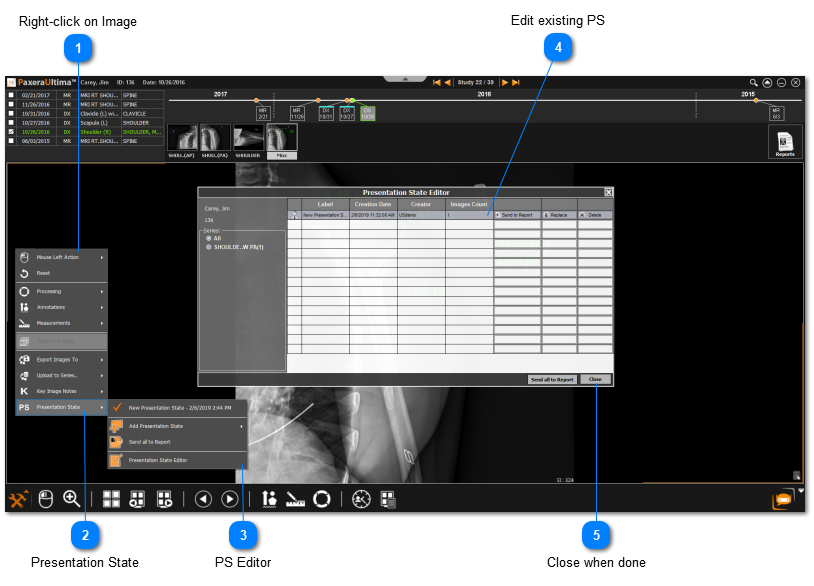
The PS editor enables the user to view, edit, and delete existing PS. Follow the instructions below to learn how to access the PS editor:
Conduct the image handing (i.e. adding annotations / filters / processing / measurements), an example is shown below:
What if there is a PS that was not created by PaxeraUltima?
» PS from another source can still be imported into PaxeraUltima
» PS can be edited - deleted or replaced - only if created by PaxeraUltima.
» PS created previously - on the modality for example or a workstation prior to uploading it to the cloud server - cannot be edited.
Users with basic privileges will not be able to add any PS to any image/series; this option has to be granted to the qualified persons for preserving the patient images data.


 What if there is a PS that was not created by PaxeraUltima?