To properly display this page you need a browser with JavaScript support.
Ultima360
User guide
×
Menu
Index
Search
Search
Search
8.0.0. Study Viewer
8.5.0. Processing & Measurements
8.5.11. Body Marks
Previous page
Next page
Ultima User Guide (c) Copyright by PaxeraHealth Corp. 2021
To properly display this page you need a browser with JavaScript support.
8.5.11. Body Marks
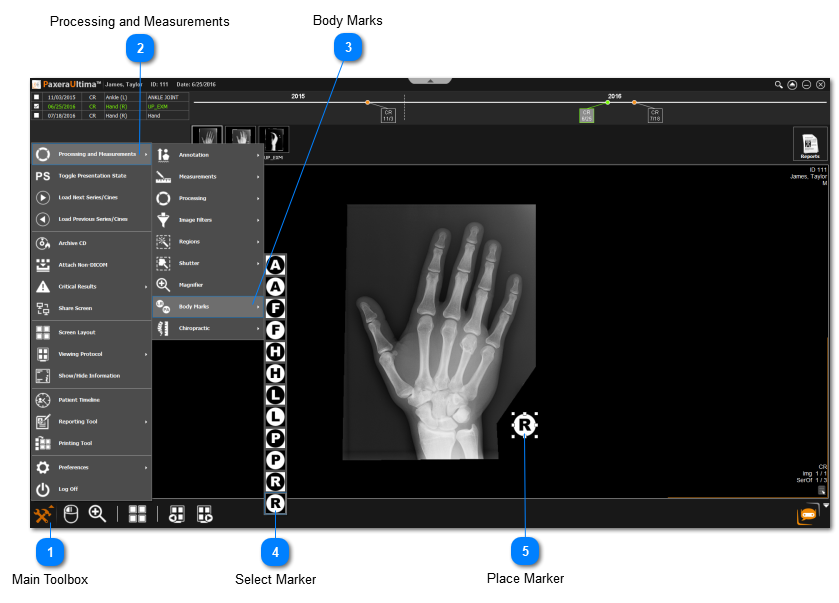
Body marks are used to add a predefined label to an image of interest:
Click on the
main toolbox
from the bottom left corner.
Click on
Processing and Measurements
.
Click on
Body Marks
.
Select the body mark of interest.
Click anywhere on the image to place the body mark.
 Body marks are used to add a predefined label to an image of interest: