Ultima360
User guide
×
Menu
Index

8.5.12. Shutter

 
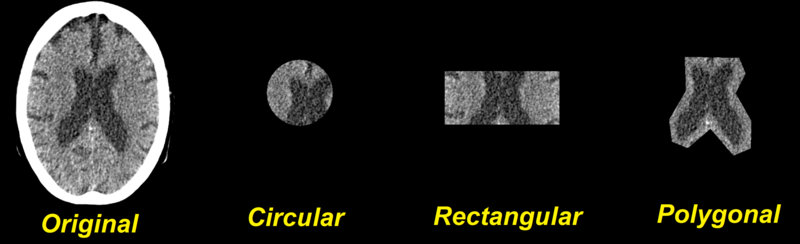
The shutter is used to cut out a region of interest from an image and the rest of the image will be removed.
8.5.12. Shutter
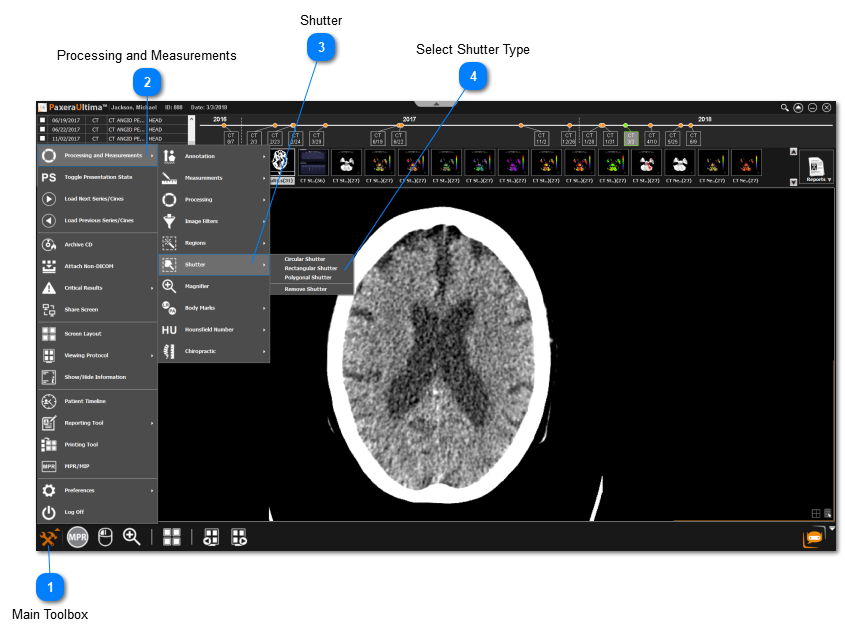
1

Main Toolbox

1. Main Toolbox
Click on the main toolbox from the left corner.
2

Processing and Measurements

2. Processing and Measurements
Click on Processing and Measurements from the menu.
3

Shutter

3. Shutter
Click on Shutter.
4

Select Shutter Type

4. Select Shutter Type
Select the shutter type to be applied.
 
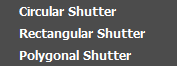
Different Shutter Types:
 
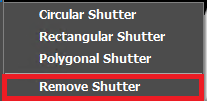
Remove shutter:
The shutter can be removed by following steps 1-3 and selecting Remove Shutter.
 
Reset image
The shutter can also be removed by right clicking on the image and selecting the ‘Reset’ option from the dropdown list - this will remove the shutter and all other processing done on the image.