Ultima User Guide (c) Copyright by PaxeraHealth Corp. 2021
7.3.0. Notifications
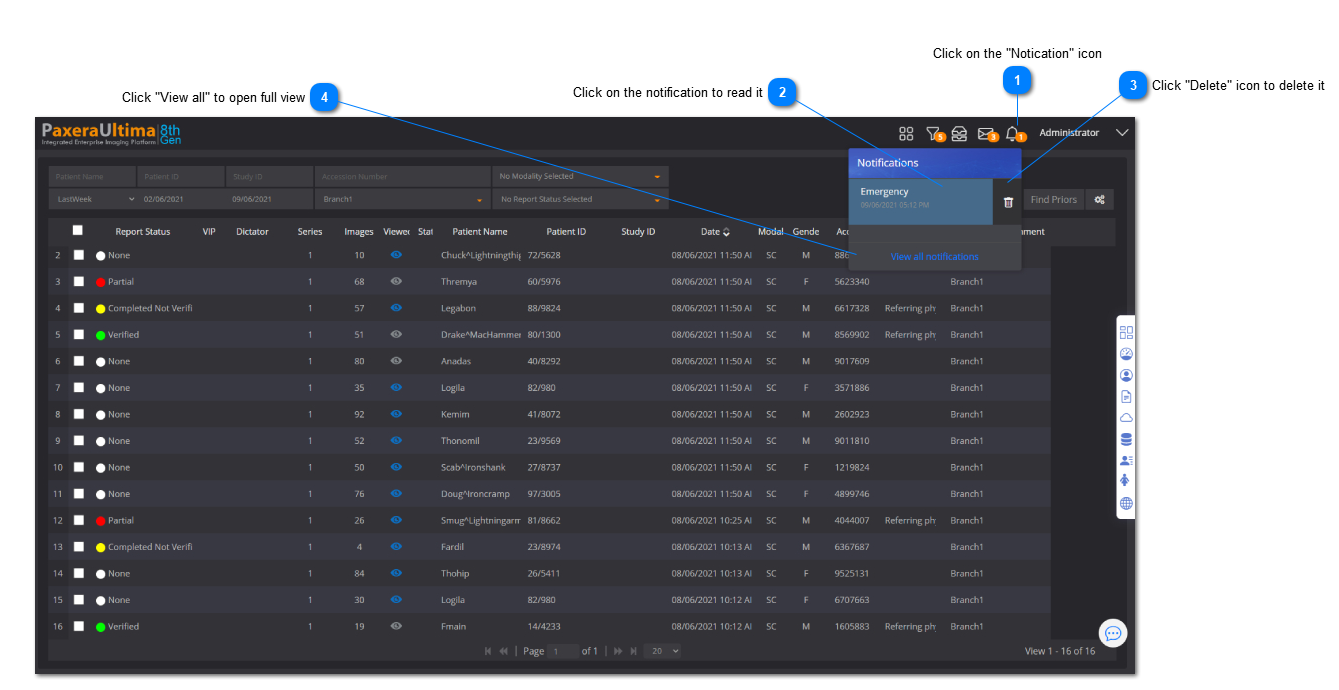
The notifications feature contains all alerts for the status of peer review studies, discrepancy studies, critical results, and other workflow managementment tools.
Full Screen Message View
From the messaging panel, click on "View all messages" to access the full screen message view (see #4 in the image shown above)
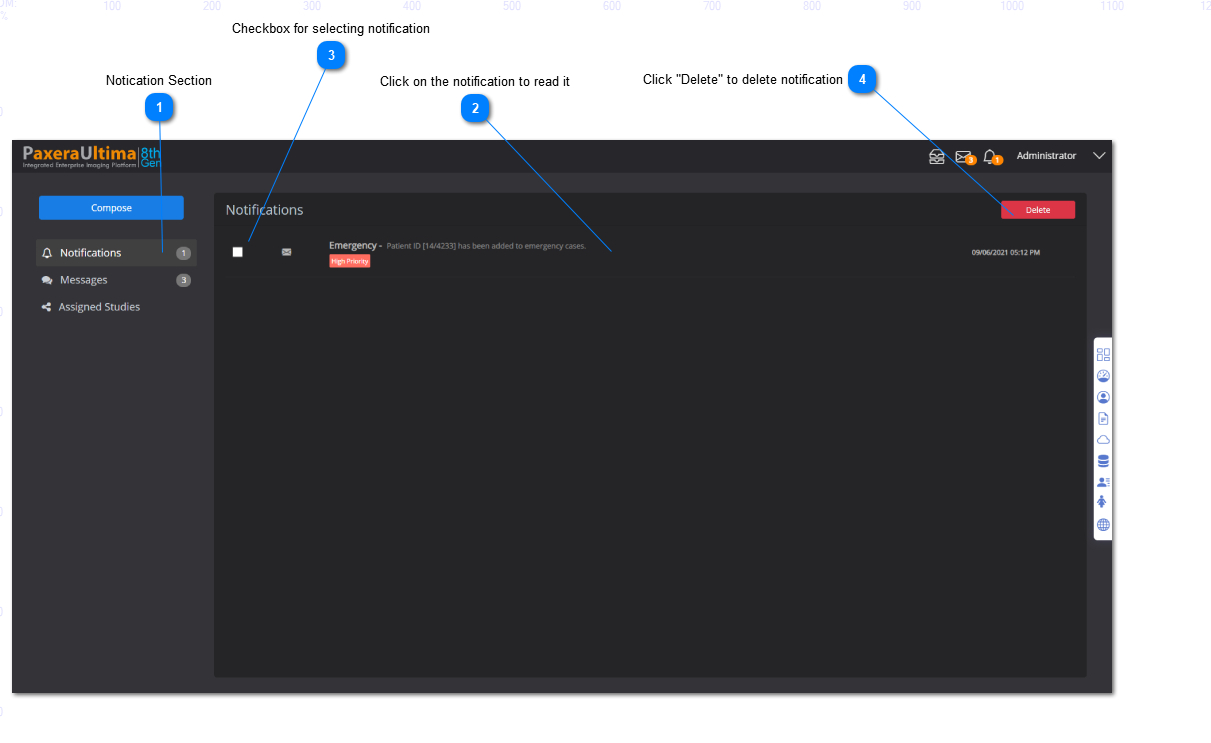
A new window will appear, as shown below. The user can view all the messages along with from who it was sent, the subject, the date that it was received, and the priority rating:
Notifications
To learn more about the workflow management tools that create the notifications, refer to its section: