Ultima User Guide (c) Copyright by PaxeraHealth Corp. 2021
7.2.0. Messages
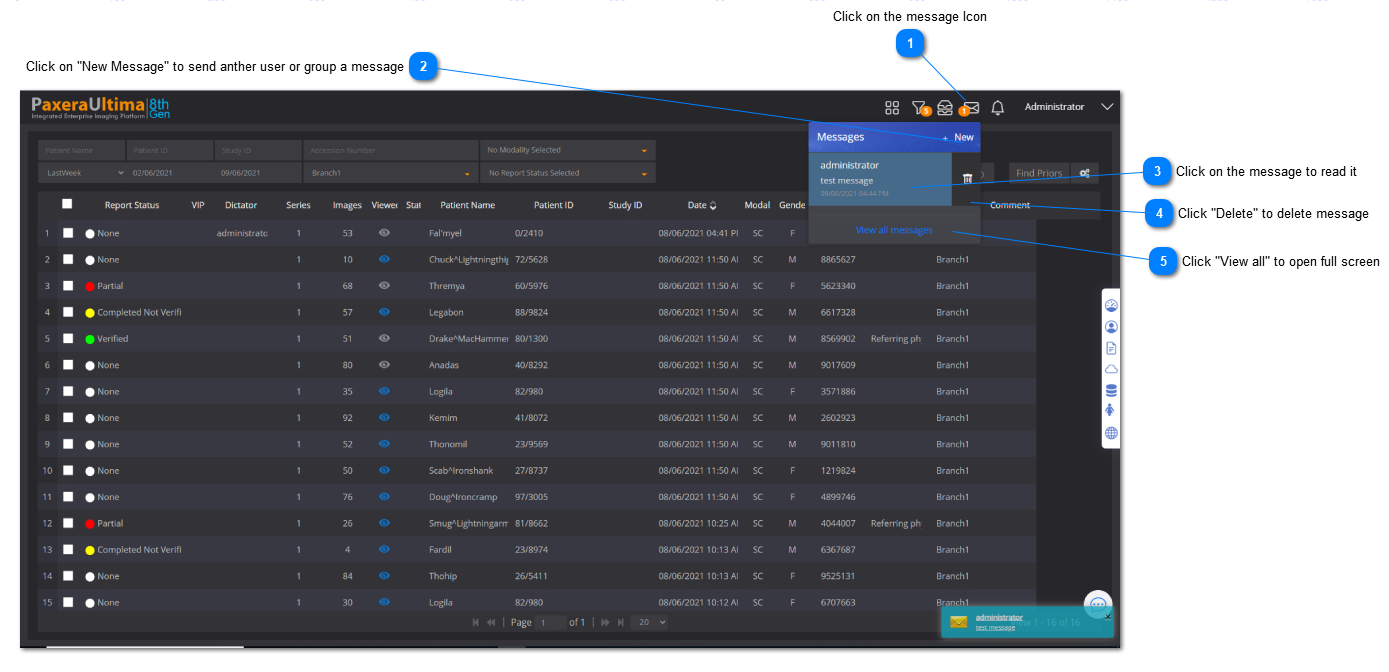
The messaging feature enables you to send and receive messages between users or groups of users using the system.
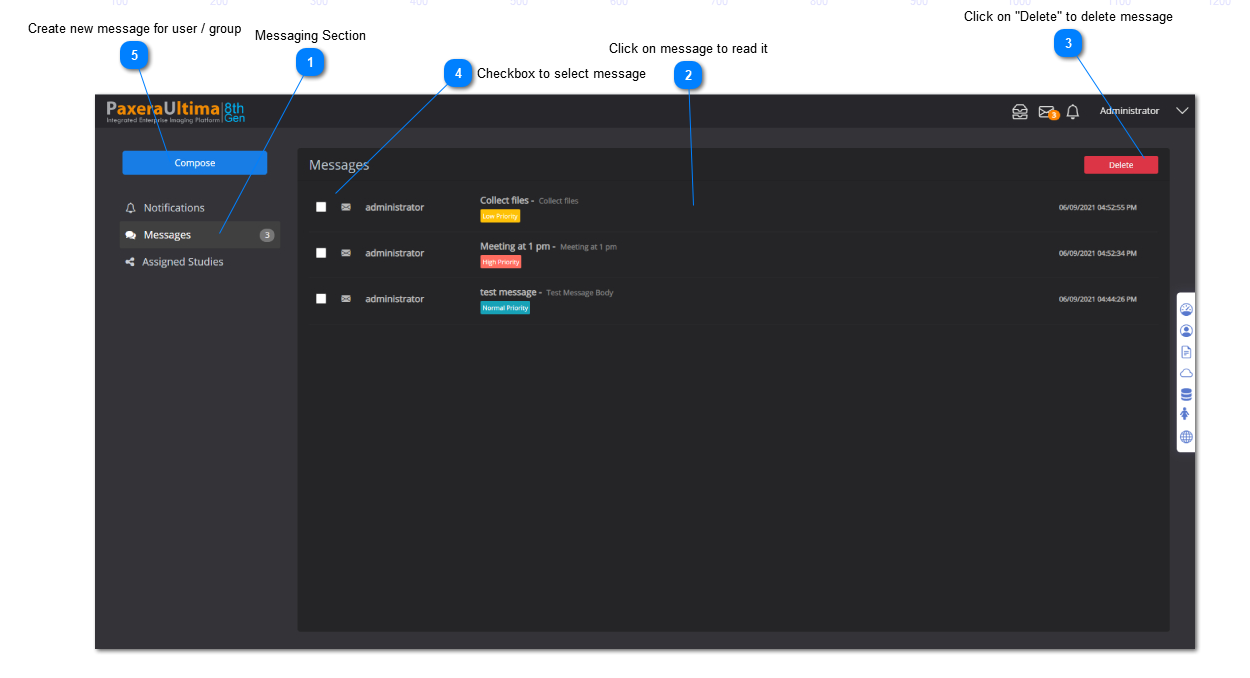
Full Screen Message View
From the messaging panel, click on "View all messages" to access the full screen message view (see #5 in the image shown above)
A new window will appear, as shown below. The user can view all the messages along with from who it was sent, the subject, the date that it was received, and the priority rating:
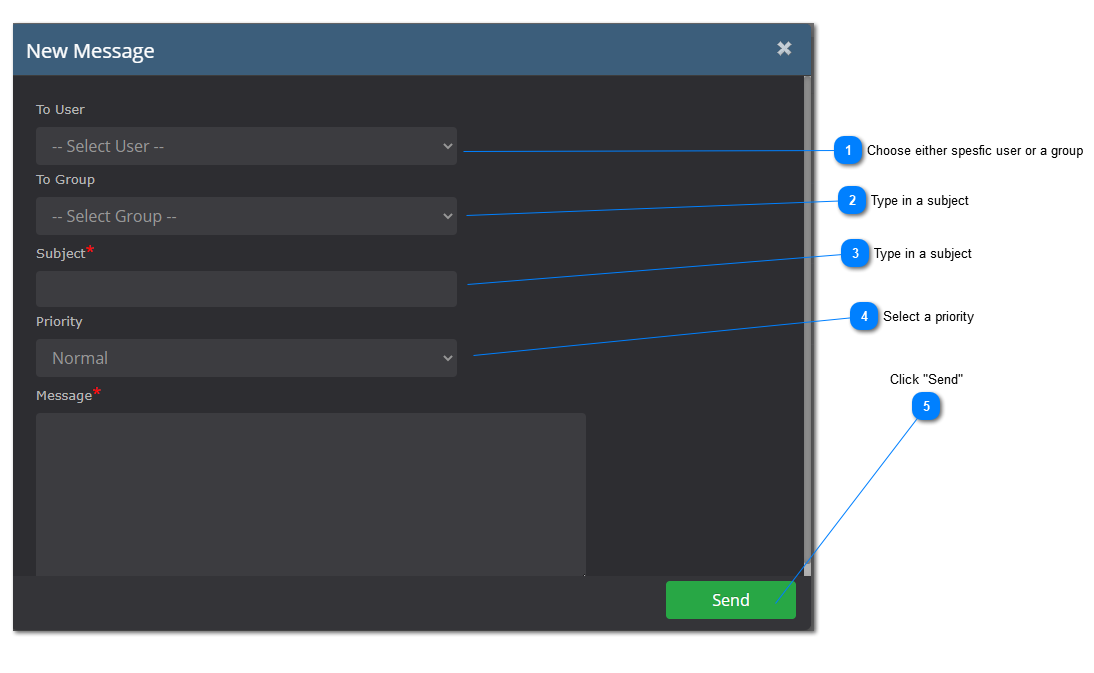
The new message window will appear, as shown below:
The user / group of users will receive a notification that they have a new message.