Ultima User Guide (c) Copyright by PaxeraHealth Corp. 2021
5.1.3. Import from HIE
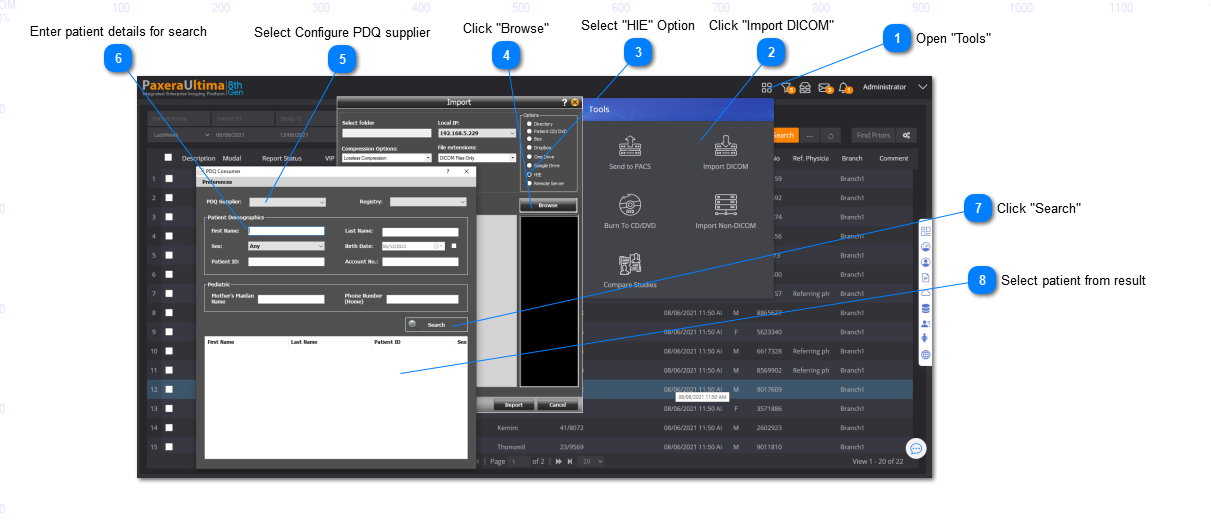
To import studies from the Health Information Exchange Platform (connected to PDQ supplier / Registry), simply follow the steps below:
HIE window
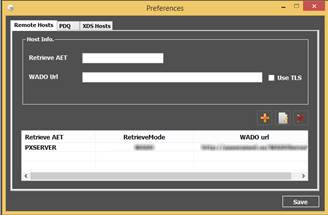
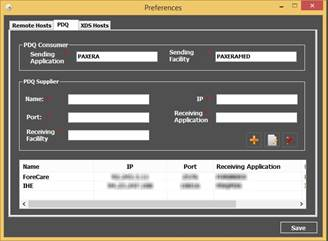
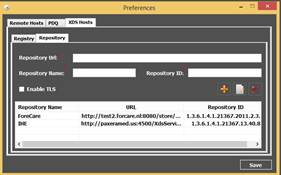
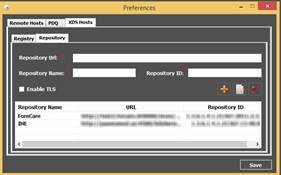
• Preferences - enables the user to configure remote hosts, PDQ suppliers, and XDS hosts
• PDQ supplier & Registry - select preconfigured PDQ supplier and XDS host from the dropdown lists. If these have not been configured, the user first needs to click on ‘Preferences’ for configuration.
• Search toolbox - enables the user to search for a specific patient
• Search results - shows all the results of the search.
Preferences
The preferences are used to configure, edit, and delete the remote hosts; PDQ suppliers; and XDS hosts for the registry and repository.