Ultima User Guide (c) Copyright by PaxeraHealth Corp. 2021
4.6.0. Merge Study
This feature enables the user to merge two studies shown in the worklist that are rmeant to be a single study. It is most often used to rectify a mistake if the study was sent to the PACS before all the images / series were acquired.
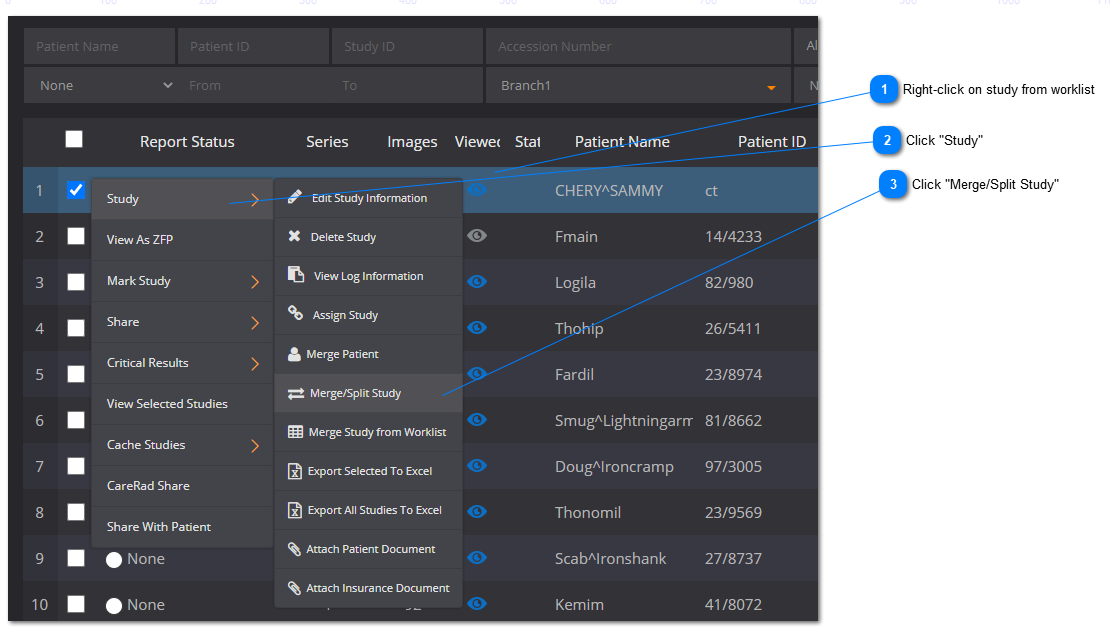
To merge two studies, follow the steps below:
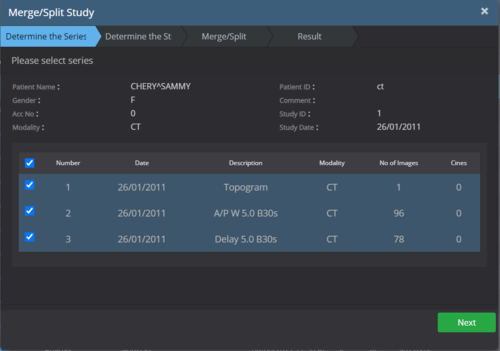
Determine the Series
A new window will appear with the patient study that was selected to be merged, select all series to be included, go to the ‘Report’ tab, select the reports to be included, and then press ‘Next’
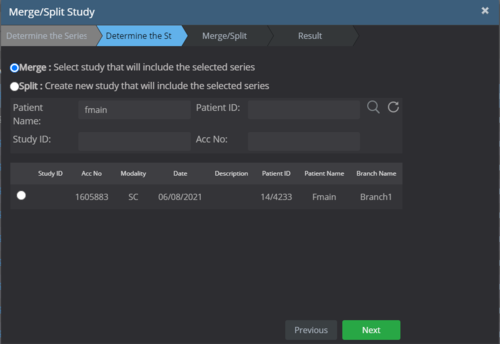
Determine the study
Ensure the "Merge" option is selected. Enter the search details and click on the ‘Search’ button, select the study that needs to be merged and then click ‘Next’.
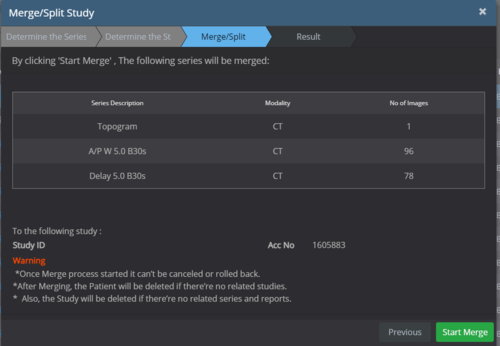
Merge
This windows shows the details of both studies that will be merged into one file. Ensure that the correct studies were selected and read the warnings before clicking on the ‘Start Merge’ button.
Result
This window shows the result of the merge, after viewing the details, click on the ‘Finish’ button.