Ultima360
User guide
×
Menu
Index

4.4.0. Assign Study

 
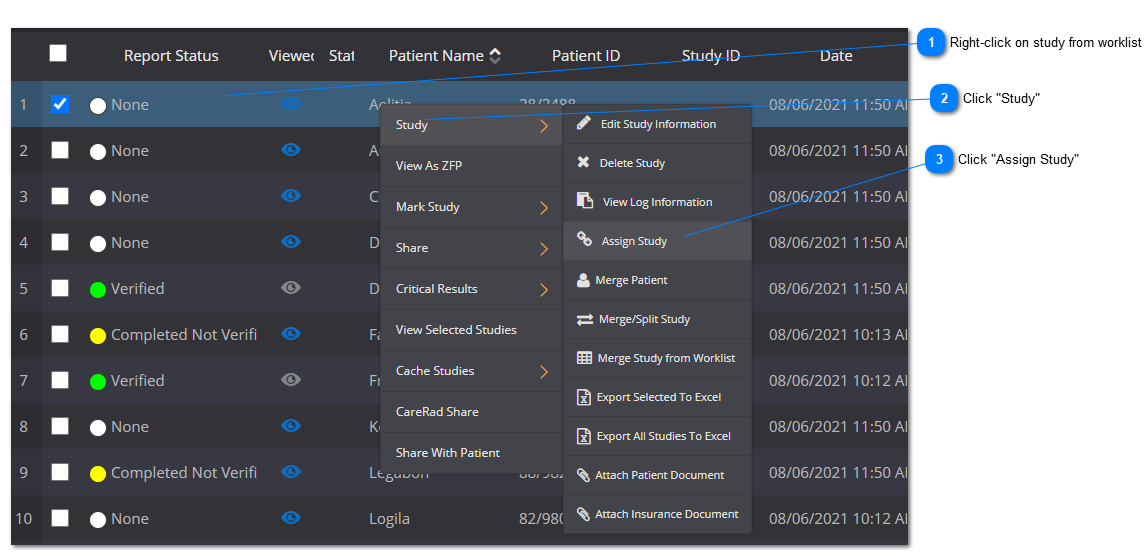
This feature enables the user to assign a study to another user to review and/or write a report for. To assign a study to another user, follow the steps below:


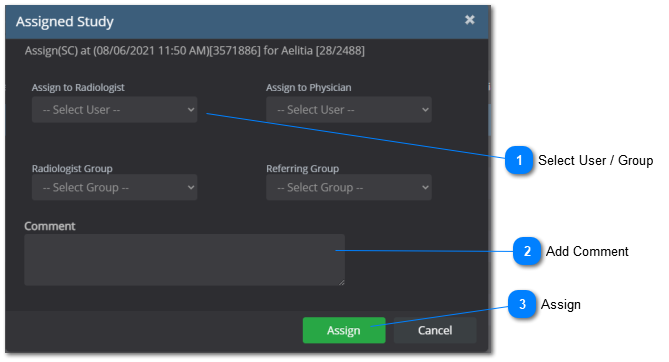
A new window will appear with:
4.4.0. Assign Study
 
 
1
Select User / Group
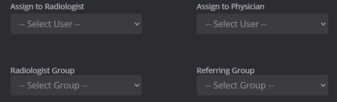
1. Select User / Group
Select a User and/or Group from the dropdown lists
 
2
Add Comment
2. Add Comment
Write a comment for the study
 
3
Assign
3. Assign
Click the "Assign" button
 
 The User and/or Group that the study was assigned to will receive a notification that the study was assigned.


Viewing assigned studies
To view a list of the studies that have been assigned to you - see the  Assigned Study section.