Ultima User Guide (c) Copyright by PaxeraHealth Corp. 2021
4.3.0. View Log Information
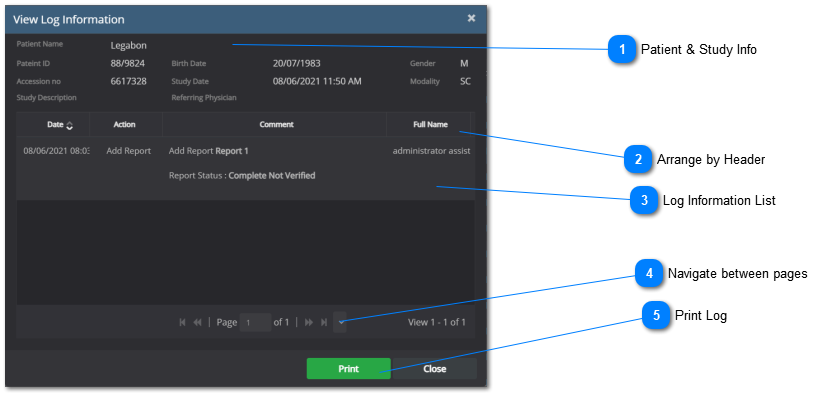
The log information contains a complete audit trail of all actions that have been taken on the study along with when the action was done, what was done, the user that performed the action, and the IP address of where the user performed the action
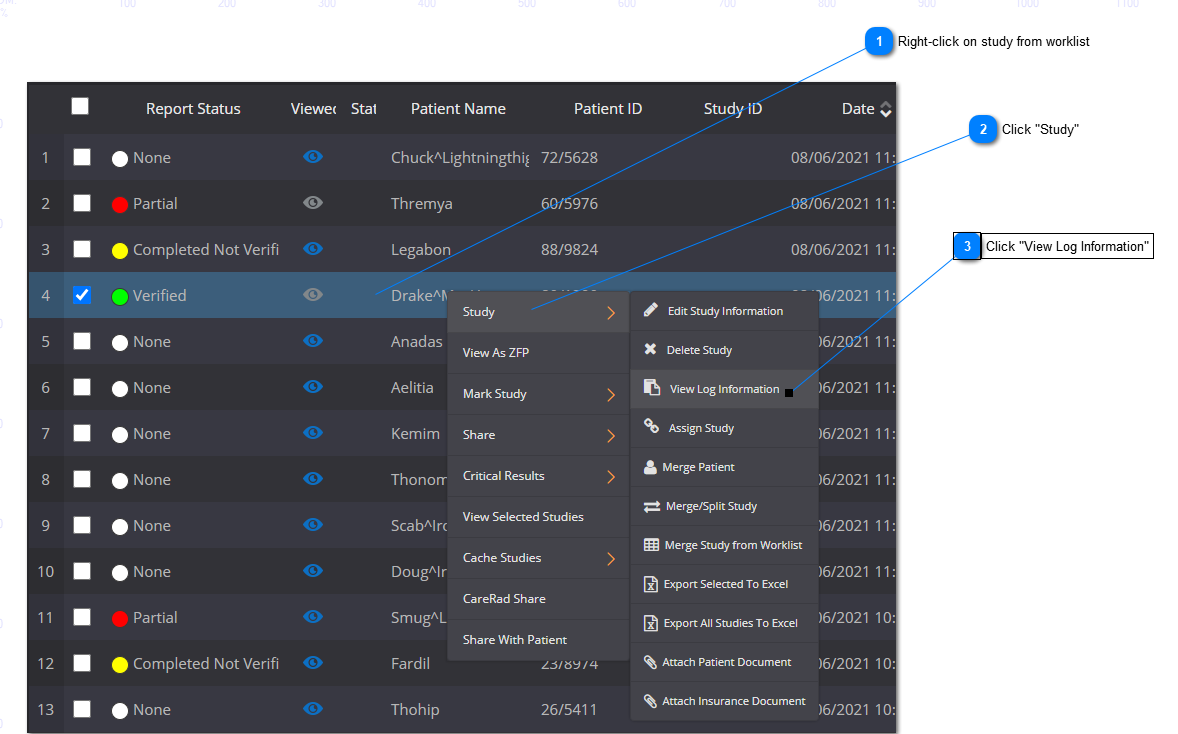
To view the log information of the study, follow the steps below:
A new window will appear with the log information history.
The user can chose to arrange the list via Date, Action, Comment, or Full name (A) ; the log information can be printed by clicking on the ‘Print’ button (B) ; and the log information window can be closed by clicking on the ‘Close’ button (C) .