18.6.0. Customer Settings
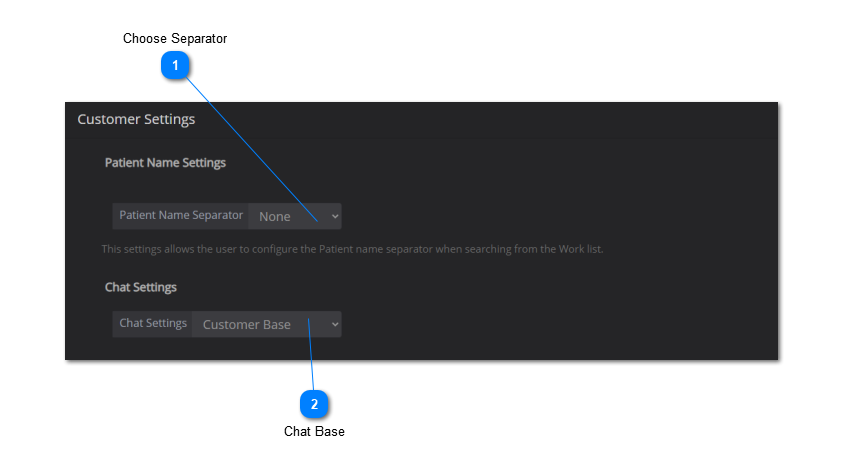
The customer settings is where the user can change the patient name separator and configure the chat settings. See instructions below:
-
Use the drop-down menu to select the patient name separator.
-
If you do not see the desired separator, choose 'Other' from the menu and type in the separator.
-
Select whether you would like to use the chat feature within a branch (branch base) or across all branches (customer base).
 Save Changes: make sure to click on 'Save' to save your worklist settings.