Ultima User Guide (c) Copyright by PaxeraHealth Corp. 2021
18.2.0. Worklist Settings
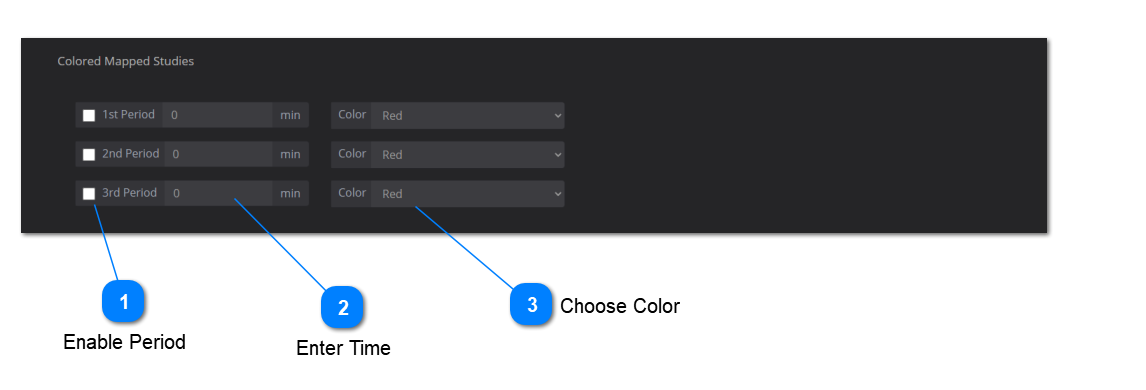
Colored Mapped Studies:
The color mapped studies settings assist in monitoring the time passed on the study, by selecting a time range and a corresponding representative color.
Check off the box to enable the time period for color mapping on your worklist.
Manually enter the time limit per period. The units are in minutes.
Use the drop-down menu to select the color for the studies in the corresponding time period.
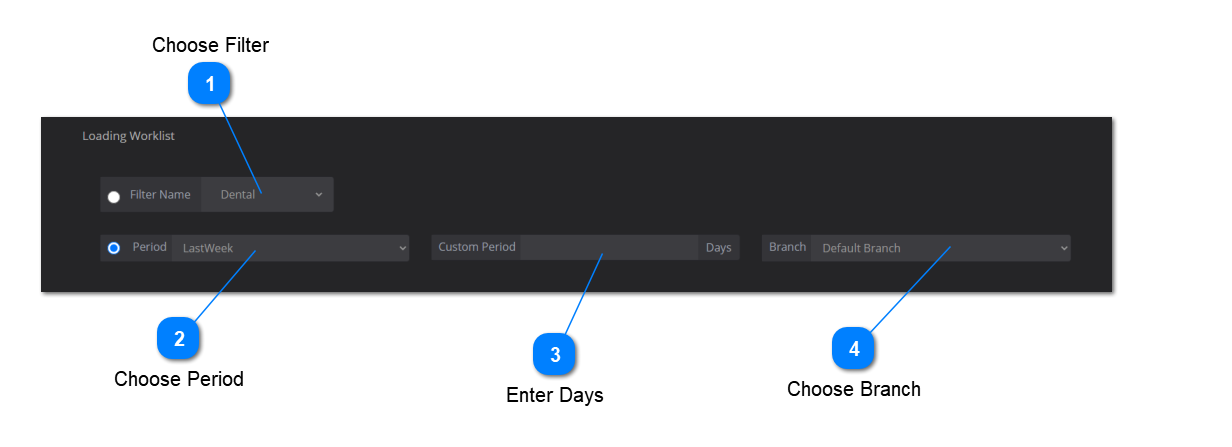
Loading Worklist:
The loading worklist settings allows the user to choose a specific filter or time period to be loaded by default in the worklist.
Please note that only one option can be applied from filters, period, or custom period. The filter branch will be applied regardless.
To load the worklist according to an existing filter, select 'Filter Name' and use the drop-down menu to choose the specific filter to be loaded.
To load the worklist according to a time period, select 'Period' and use the drop-down menu to choose the specific time period to be loaded.
To load the worklist according to a custom period, make sure you select 'Custom' from step 2 and manually enter the time period in days.
To load the worklist according to a specific branch, use the drop-down menu to select the appropriate branch.
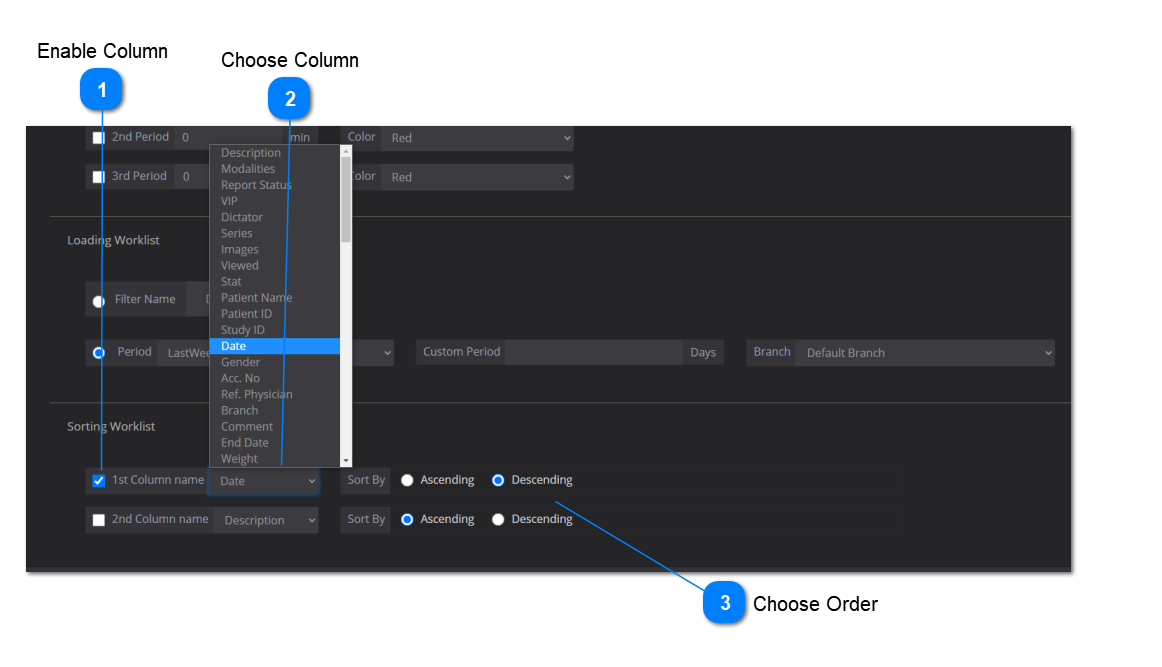
Sorting Worklist:
The sorting worklist settings allow the user to automatically customize the order of studies displayed based on column name and ascending / descending order.
Note that the '1st Column name' will take priority over the '2nd Column name'.
Check off the box to enable the column name as a sorting parameter.
Use the drop-down menu to select the column to sort through the studies.
Select the sorting order for the column (ascending or descending).
Save Changes: make sure to click on 'Save' to save your worklist settings.


 Save Changes: make sure to click on 'Save' to save your worklist settings.