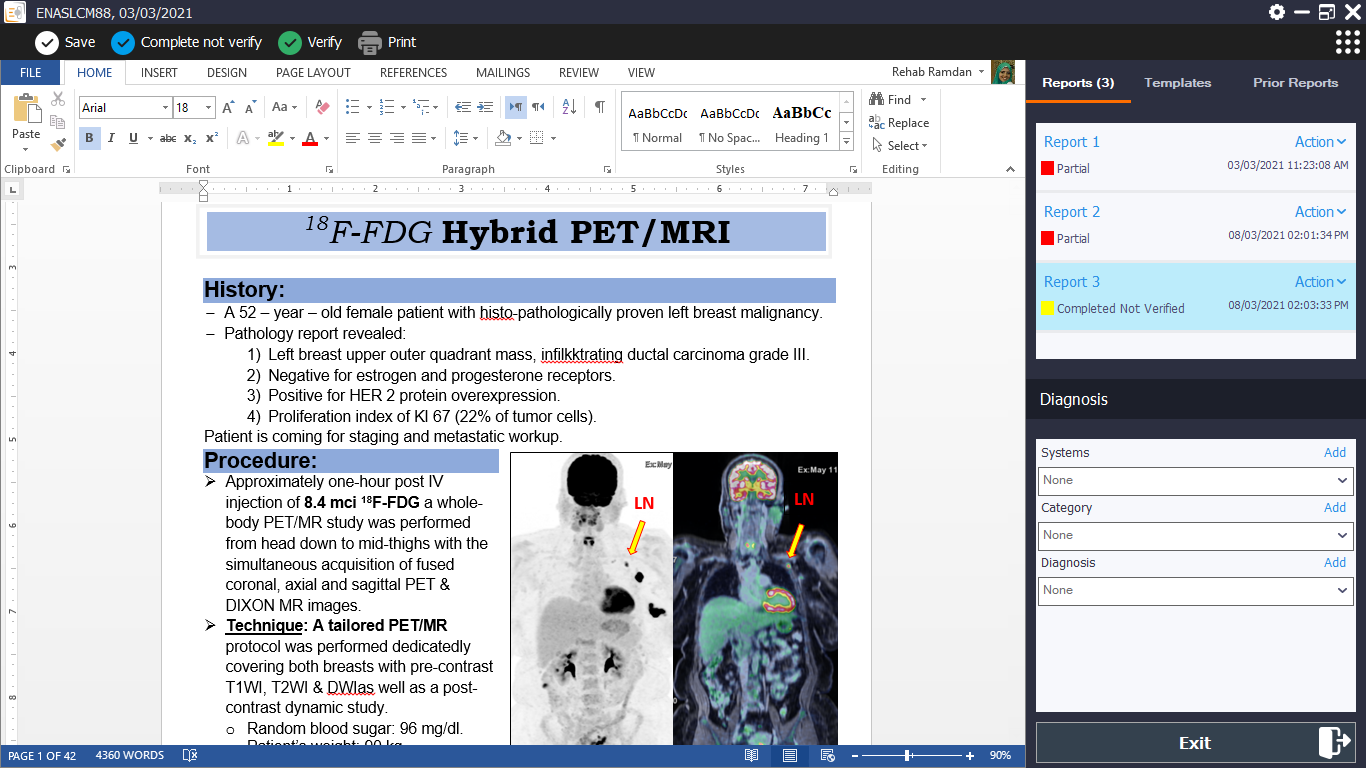
To create a report, follow the instructions below:
Optional: load an existing template from the appropriate section in the templates folder
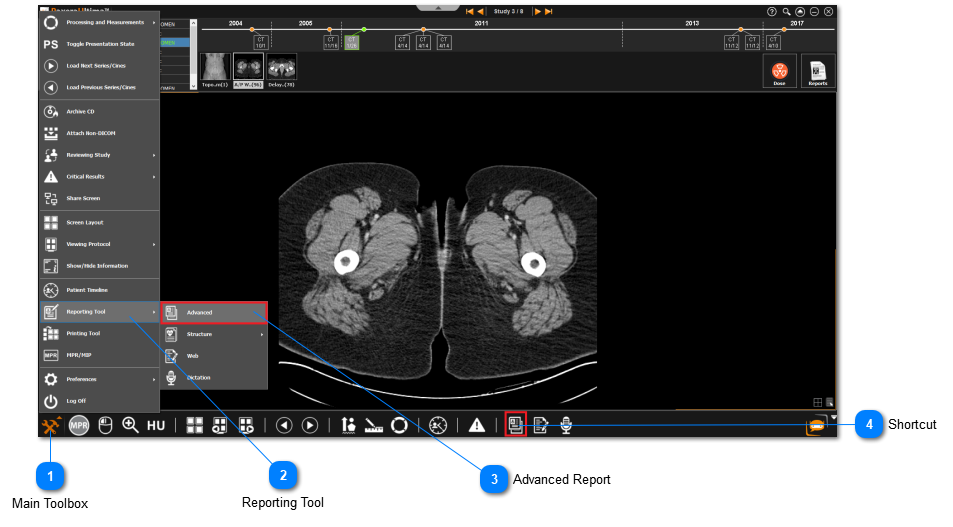
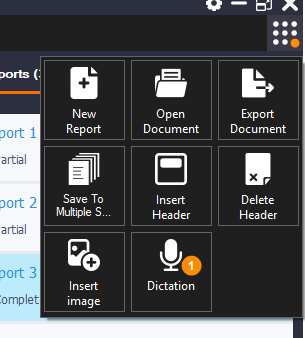
From the following panel:
Optional: insert the header (report logo and table) at the top of the report by clicking on from the reporting tools. You can remove the header by clicking on . You can customize the report logo and table in report settings; see the next section to learn how to customize the report header.
If you are using dictation software such as Nuance Dragon or MModal Fluency Direct, simply plug in the mic, turn the mic on, and start speaking into the mic. This should automatically convert voice to text onto the report. You can use the software voice commands to navigate through the report such as 'Go Down', 'Next Line', 'New Line', etc.
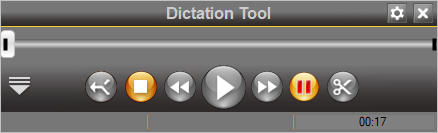
If you are using the dictation tool on the advanced report, click on the record button to start and then the stop button to end the recording.
Your recording will be saved automatically. Click on the down arrow button to view / listen to your recordings.
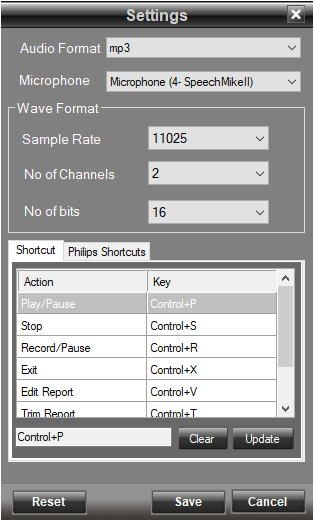
You can make further adjustments in the dictation tool settings .
You can set the report status from partial report, to complete not verified, to verified.
Report Settings:
You can access the report settings by clicking on the settings button in the advanced report's header.
There are six sections to the advanced report settings:
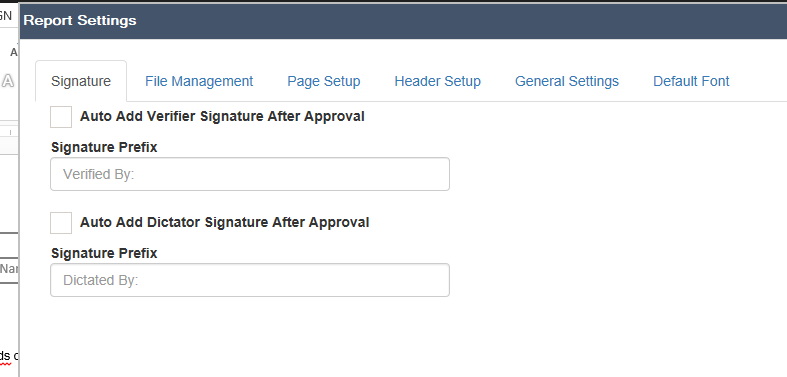
Signature
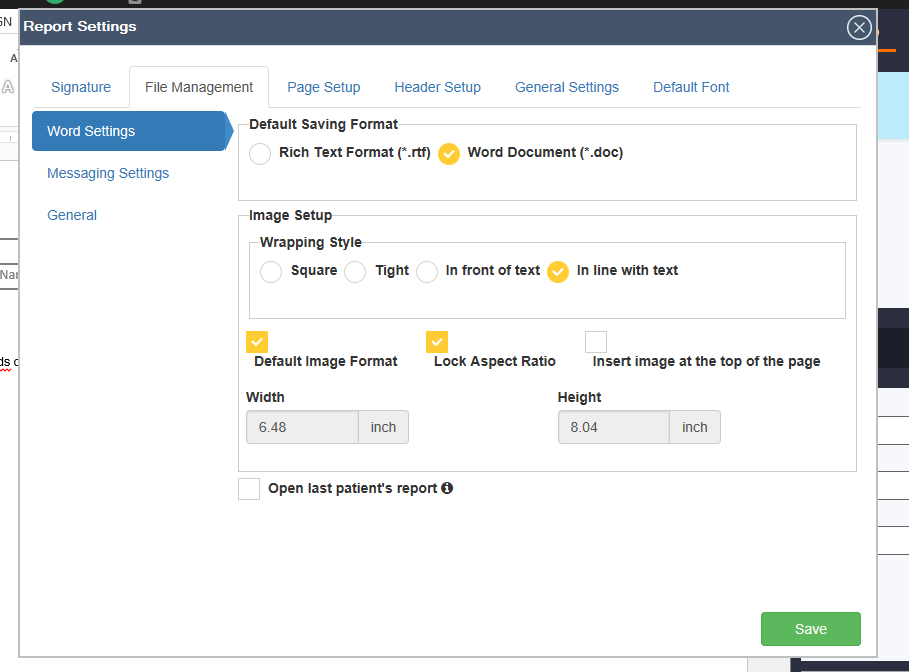
File Management
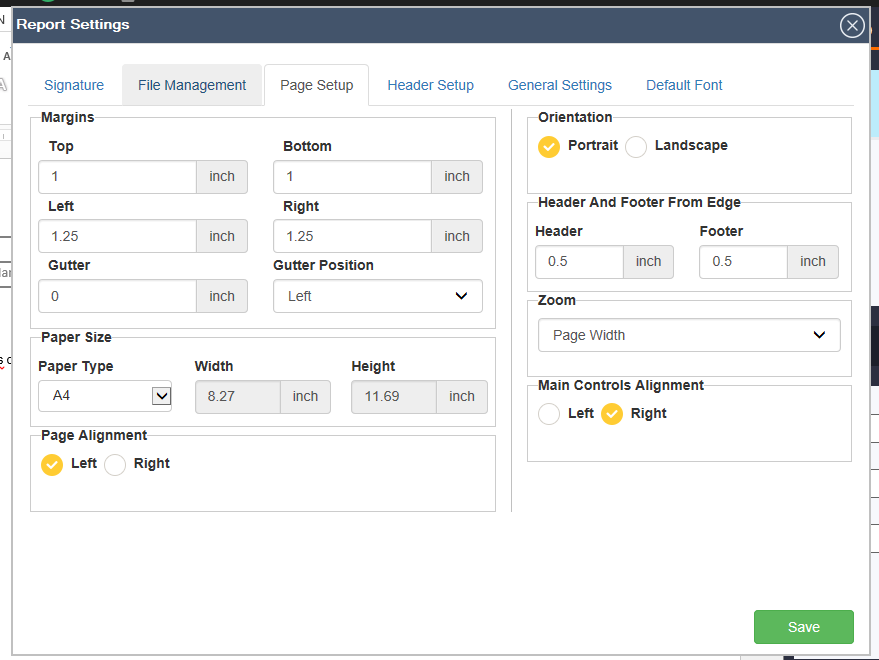
Page Setup
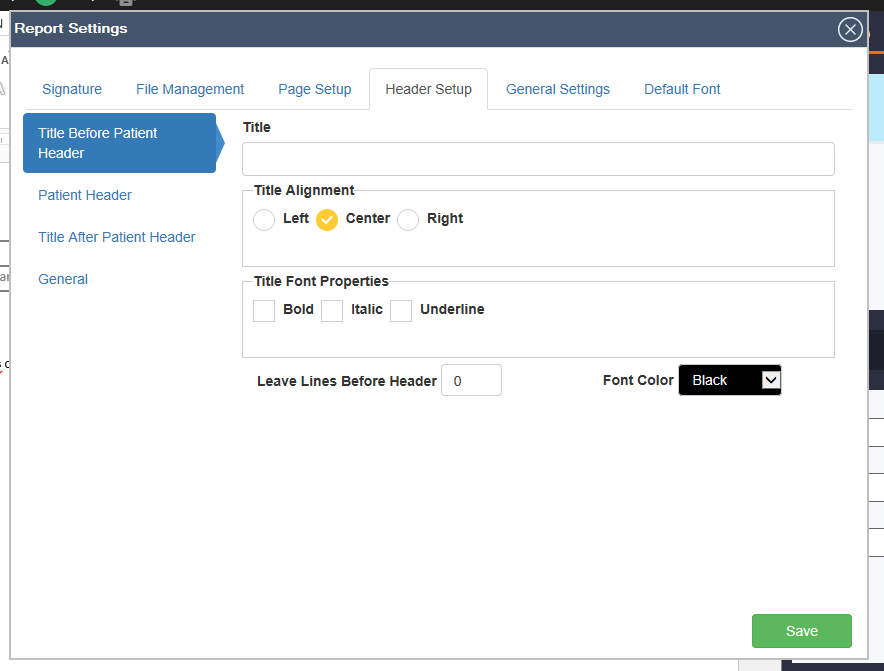
Header Setup
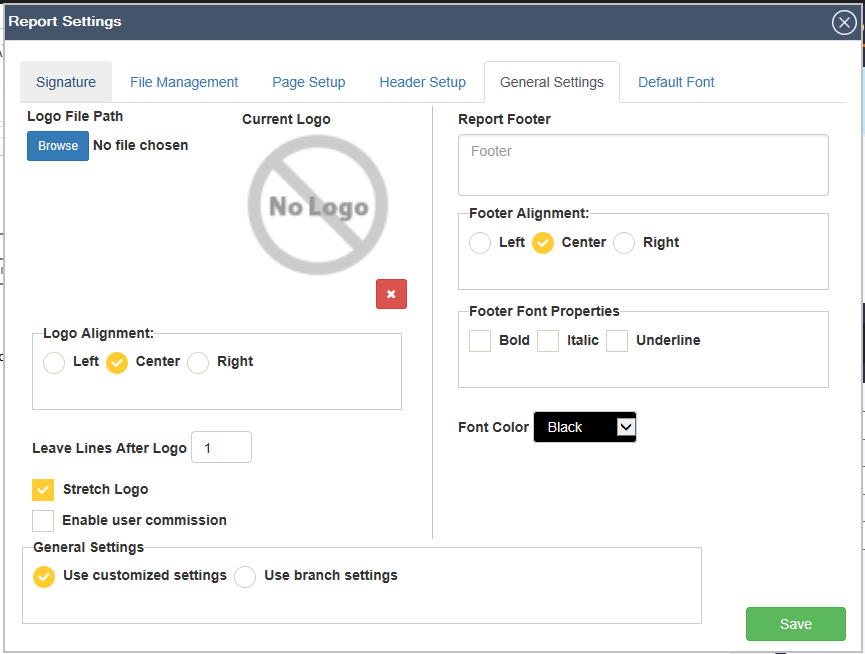
General Settings
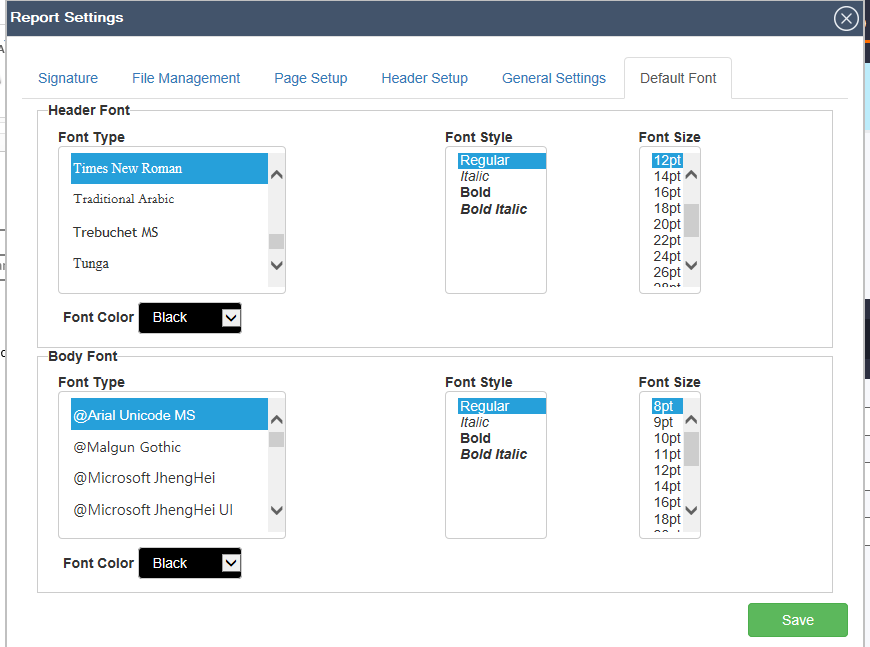
Default Font
Signature: user can add auto verifier or dictator signature after approval
File Management: user can customize the sections below
Default saving format (.rtf, .doc, .HTML)
Image setup (wrapping style, image format, etc)
Word process management
Printing
Text Message Settings
Audio hotkeys
Audio recording setting
Email setup
Saving options
HL7 directory
Page Setup: user can customize the sections below
Margins
Paper size
Page alignment
Orientation
Header and footer from Edge
Zoom
Main controls alignment
Header Setup: user can customize the sections below
Report title before and after header
Title properties
Table auto-fit behavior
Column width
Footer text
Logo setup
Header background
Signature prefix
Alignment
General Settings: user can customize the sections below
Logo file path
Logo alignment
Leave lines after logo
Report footer
Footer alignment
Footer font properties
Font color
Either use customized settings or branch settings
Stretch logo
Enable user commission
Default Font: user can customize the font type, color, style and size of the header and body










 from the reporting tools. You can remove the header by clicking on
  . You can customize the report logo and table in report settings; see the next section to learn how to customize the report header.
 to start and then the stop button
  to end the recording.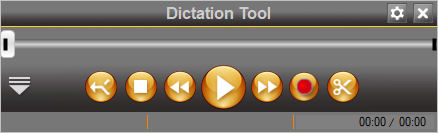
 to view / listen to your recordings.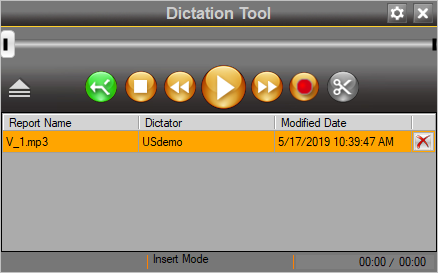
 .
.
 , to
, to  , to
, to  .
. in the advanced report's header.