Ultima User Guide (c) Copyright by PaxeraHealth Corp. 2021
9.8.0. Spine Labeling
This tool is used to label each vertebra on the human spine. Follow the instructions below for more information:
1. Right-click on the image of interest from the image viewer.
2. A dropdown list will appear, click on ‘Spine labeling’and then on ‘Show editor’.
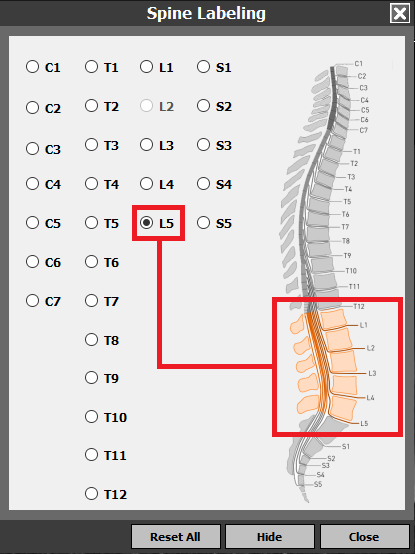
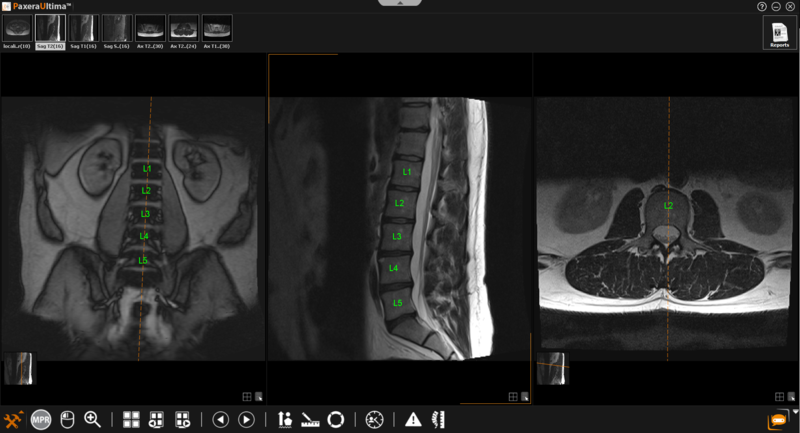
3. A new window will appear with all the spine labels - click on the vertebra of interest from the menu and then click on the correct vertebra on the image.
4. The labels for each vertebra will automatically be transposed onto to the other projections as you label the spine.
Hide / Reset labels
The labels can be hidden or reset by two methods:
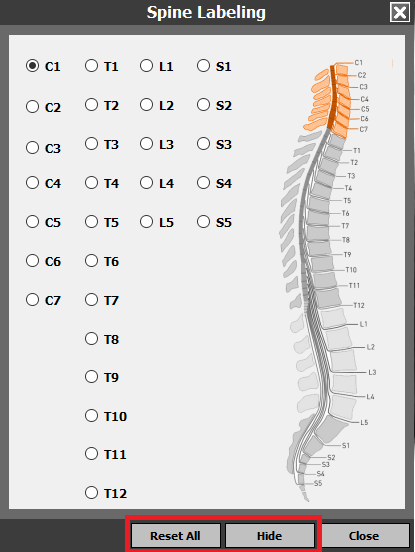
1. From the Spine labeling window (shown above) via the buttons located at the bottom of the window.
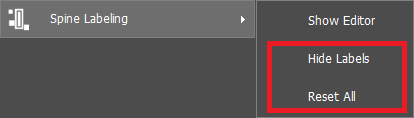
2. Right-click on the image of interest and select ‘Spine’ labeling, a dropdown list will with the options.