Ultima User Guide (c) Copyright by PaxeraHealth Corp. 2021
9.7.0. Position Synchronization
This tool allows the user to localize a coordinate point synchronously across all planes. It is only available for CT/MR studies.
Instructions are given below on how to apply position synchronization:
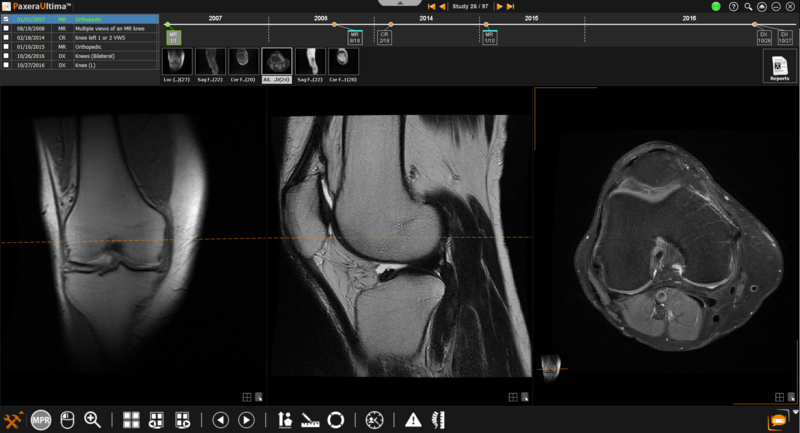
1. From the study viewer, place the appropriate series with different views in the windows:
2. Right-click on the image that will stay fixed and click select ‘Position Synchronization’ . The tool will be checked off to indicate that it is now active .
3. Click and hold down the mouse as you move your mouse along the image as it stays fixed (black cross).
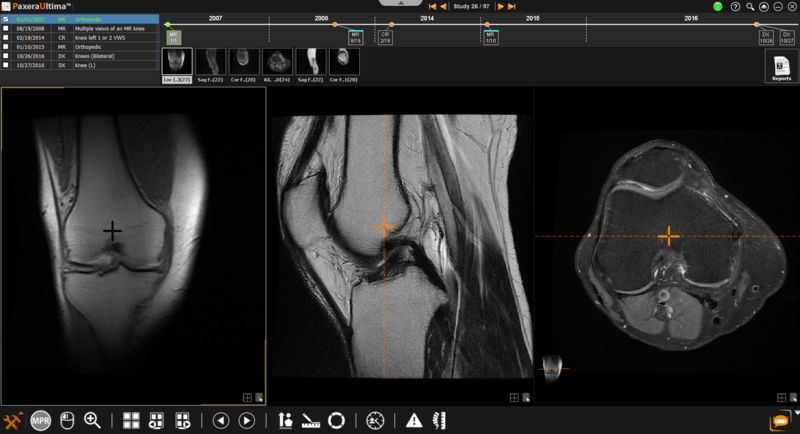
In the example below, the coronal image stays fixed as the mouse is moved along the image. The dotted orange line corresponds to the coronal plane of the fixed image on the sagittal and axial series. The orange cross on both the sagittal and axial series corresponds to the coordinate point on the fixed image. As you move your mouse around the fixed image, you can navigate through the other series while localizing the moving point on your still image.
4. You can disable the position synchronization tool by right-clicking anywhere on the window and clicking 'Position Synchronization'. The tool will be unchecked to indicate that it is inactive .


 . The tool will be checked off to indicate that it is now active
  .
.