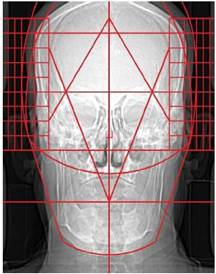
9.5.13. Central Skull Line (CSL) Template
The central skull line (CSL) template is used to find the central skull line. Follow the instructions below to use this tool:
1. Select the ‘Central Skull Line Template’ from the advanced section of the chiropractic toolbox.
2. Click on the image and the template will appear.
3. To move the template: click on the template and drag it to the desired location.
4. To resize the template: click on the any of the white points located on the outer corners and move it to adjust the dimensions.
5. To rotate the template: click on the green point and a wheel will appear for you to click and rotate the template.
An example of this template is shown below: