9.4.9. MIP/Min/Avg Intensity Projection
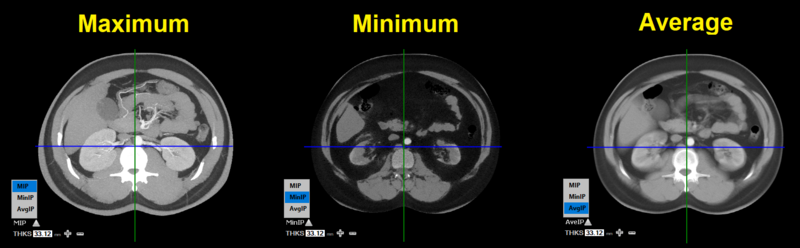
The maximum, minimum, and average intensity values displays structures based on the voxel density.
-
MIP helps visualize the hyperdense structures with the highest HU values from the surround tissues.
-
MinIP helps visualize the hypodense structures with the lowest HU values from the surround tissues.
-
AIP helps visualize structures with the median HU value.
This tool can only be used in normal / oblique mode.
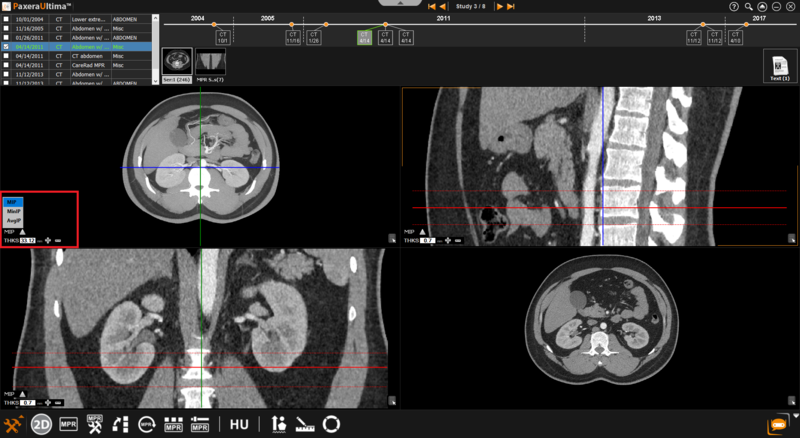
The MIP function is situated in the bottom left corner of each image window, as shown below:
The user can choose the intensity projection mode from maximum, minimum, or average:
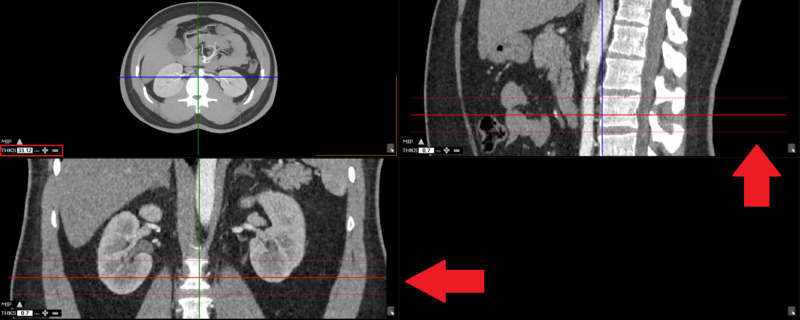
The user can view the thickness on the other views (windows):
The user can increase / decrease thickness by using the "+" and "-" or manually entering in the desired value.
The thickness is used to calculate intensity projection for that area.