To properly display this page you need a browser with JavaScript support.
This tool is used to open a fusion study (i.e. CT-PET; MR-PET) in MPR mode.
Open MPR from fusion mode If a fusion study is open, the user can right click on the fusion window and click on ‘MPR fusion’ to open MPR fusion mode.
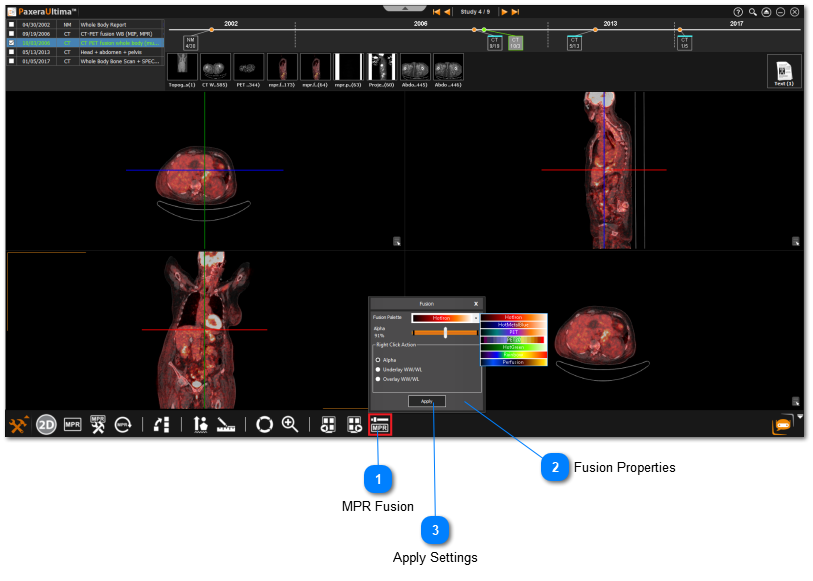
The MPR fusion mode is used only when a fusion study is open, as shown below:
MPR Fusion Click on 'MPR Fusion Properties' from the bottom toolbar panel.
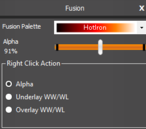
Fusion Properties Select the fusion palette, alpha level, and right-click action from the menu. You can control whether to change the WW/WL (overlay/underlay) or alpha value when holding down the right-click on your mouse.
Apply Settings Click on 'Apply' when you are done making changes in the MPR fusion tool.
The user has access to all the MPR tools including the MPR modes, generating series, and viewing protocols.