Ultima User Guide (c) Copyright by PaxeraHealth Corp. 2021
9.2.1. Measurements
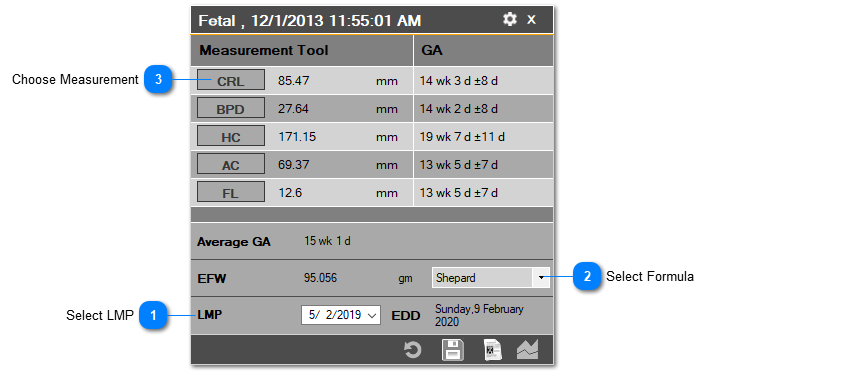
To conduct a measurement, follow the instructions below:
1. Select the date of last menstrual cycle.
2. Select the formula to be used for estimating fetal weight (Shepard / Hadlock / Campbell).
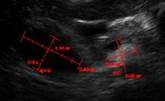
3. Select the measurement-of-interest and then draw the measurement on the image within the viewer.
• CRL – Crown Rump Length
• BPD – Biparietal diameter
• HC – Head Circumference
• AC – Abdomen Circumference
• FL – Femur length
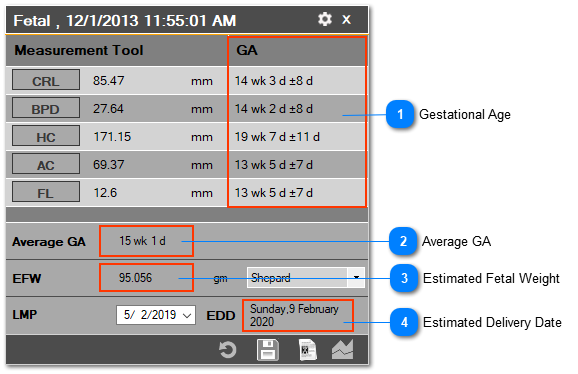
The approximated gestational age (GA) per measurement and the average GA will be calculated after any measurement is conducted. Once all five measurements have been conducted, the estimated fetal weight (EFW) value will also be calculated. The estimated delivery date (EDD) will be calculated:
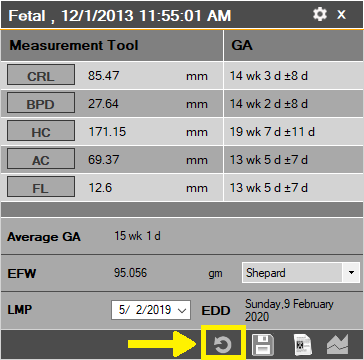
Reset measurements
To reset all the measurements and calculations, simply click on the ‘Reset’ button in the bottom right corner of the fetal measurement tool, as shown below: