Ultima360
User guide
×
Menu
Index

8.5.7. Image Calibration

 
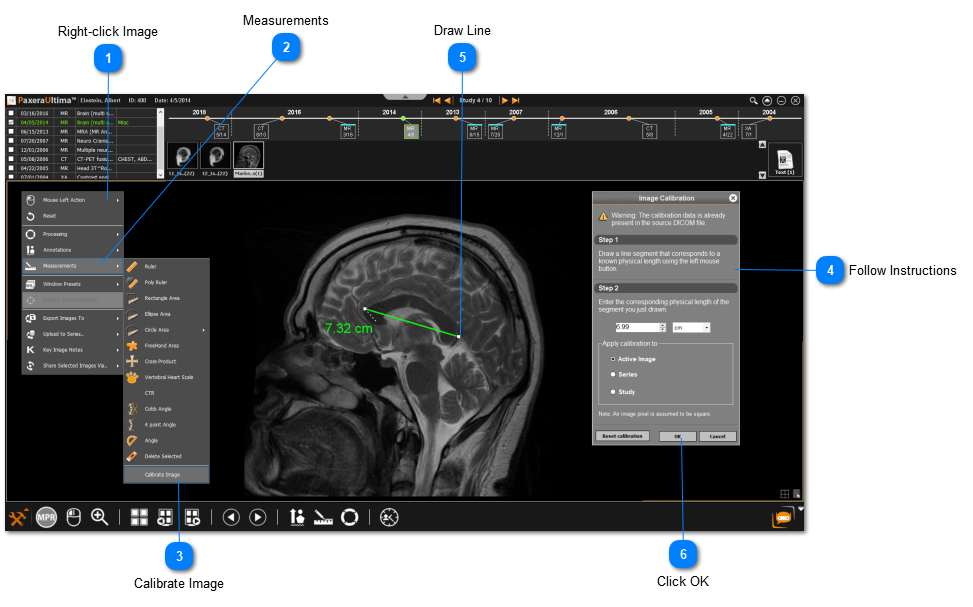
This tool enables the user to manually calibrate an image. However, the majority of the time the image will already contain the calibration settings in DICOM info. To access this tool, follow the steps below:
8.5.7. Image Calibration


1

Right-click Image

Right-click on the image of interest.
2

Measurements

2. Measurements
Click on Measurements from the menu.
3

Calibrate Image

3. Calibrate Image
Click on Calibrate Image.
4

Follow Instructions

4. Follow Instructions
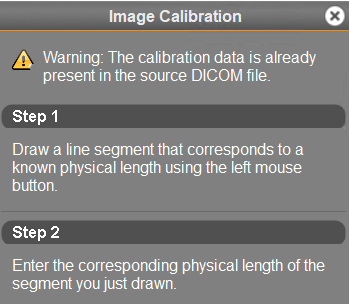
Read the instructions and follow the steps.
5

Draw Line

Draw a line that corresponds to a known physical length.
6

Click OK

6. Click OK
Click OK when you are done.