The import non-DICOM tool enables the user to upload non-DICOM files from a directory / scanner to a new or existing study.
Supported file formats include: images, videos, PDFs, voice notes, documents, or text file.
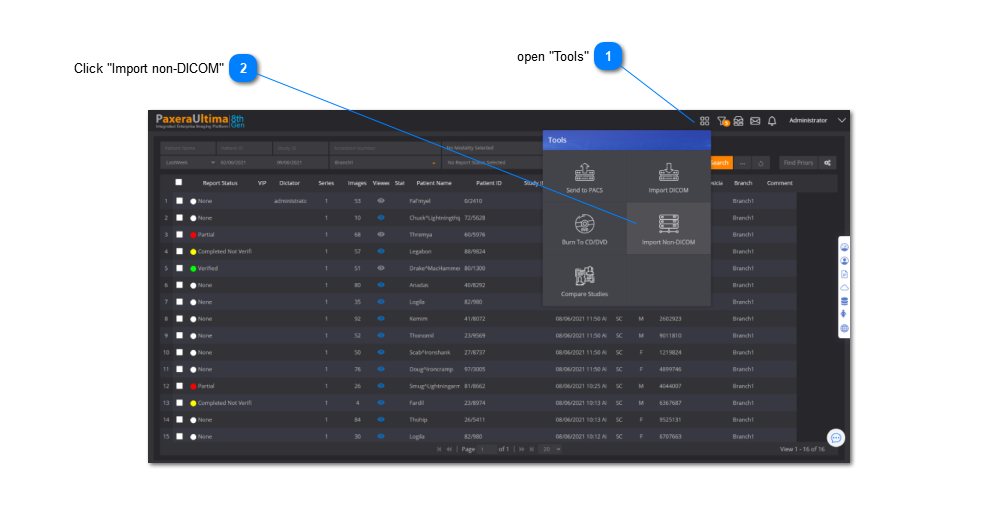
From the worklist, the user can import non-DICOM files to a new study or query/retrieve a remote MWL study. It is accessed as shown below:
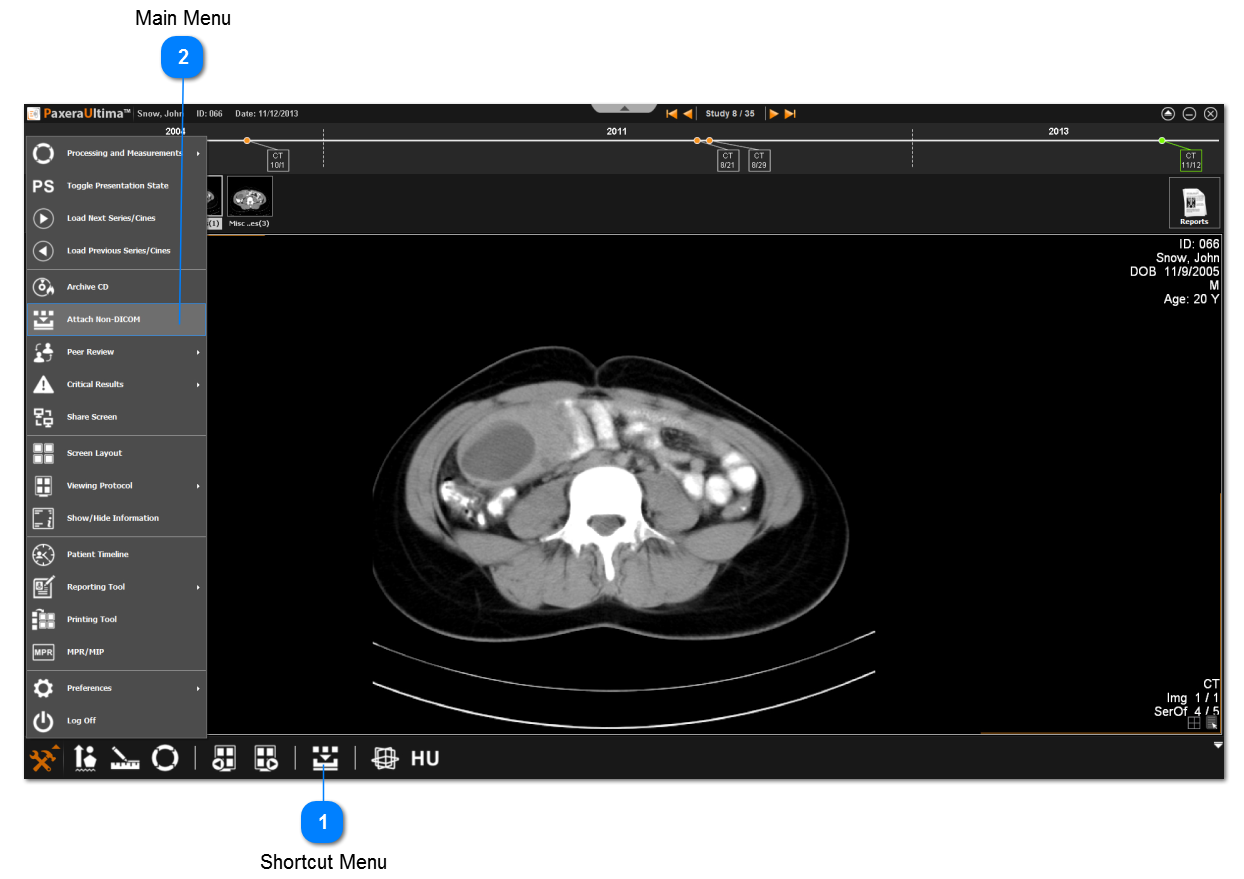
From the study viewer, the import non-DICOM tool can be accessed from two places, as shown below: