17.2.5.2. Window Level Options
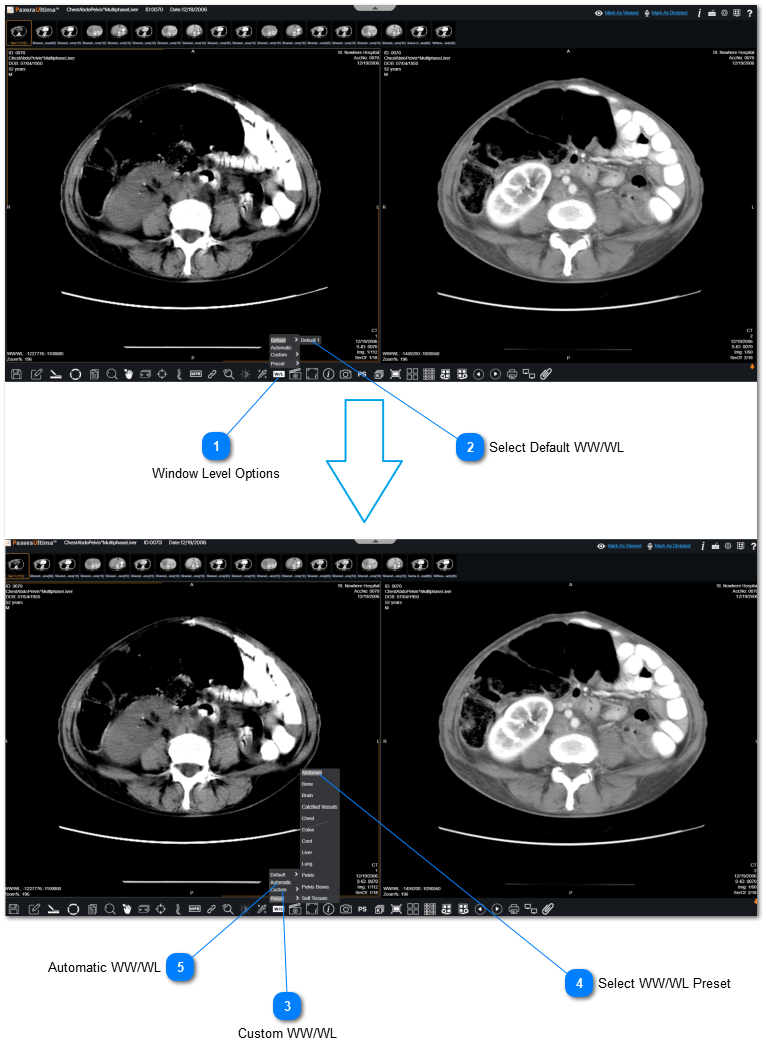
To change the window level options, follow the instructions below:
 Window Level OptionsClick on "Window Level Options" from the bottom toolbar.
|
|
 Select Default WW/WLYou can select a default window level that has already been created.
|
|
 Custom WW/WLYou can manually enter your own WW/WL values.
|
|
 Select WW/WL PresetYou can choose a WW/WL preset depending on your anatomical structure.
|
|
 Automatic WW/WL You can set Automatic WW/Wl.
|
|