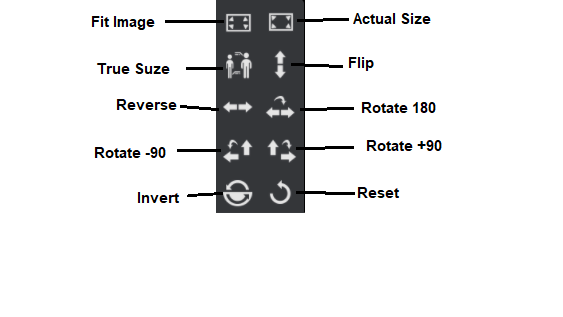
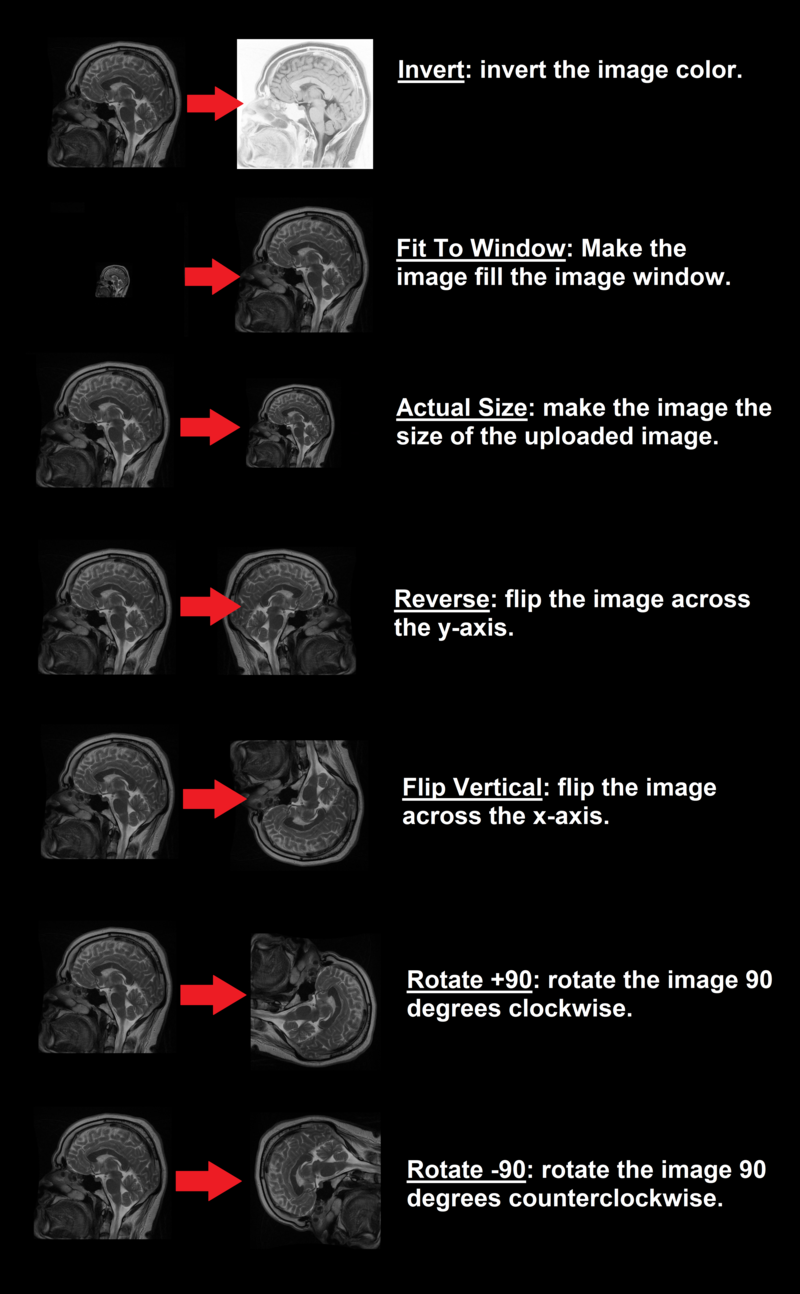
Processing tools are used to rotate, flip, fit, reload, or invert the image.
1. Click on the processing icon from the toolbox panel, in the bottom left corner of the screen: 
2. A pop-up window will appear with a number of different processing options to choose from, a basic description of each one is given below:
3. Select one of the options to implement to process of interest.
Examples of the different measurements available: