There are two methods to set a study as an emergency (make preliminary report):
-
Set a study as an emergency on the worklist.
-
Set a study as an emergency on the study viewer.
 To set an emergency on the worklist, follow the instructions below:
1. Right click on the study-of-interest from the worklist.
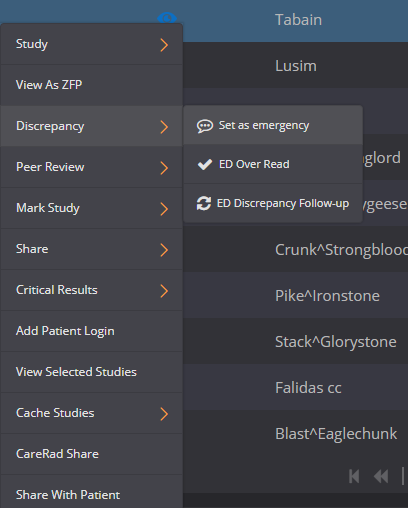
2. A drop-down menu will appear, click on ‘Discrepancy’ and then ‘Set as emergency’.
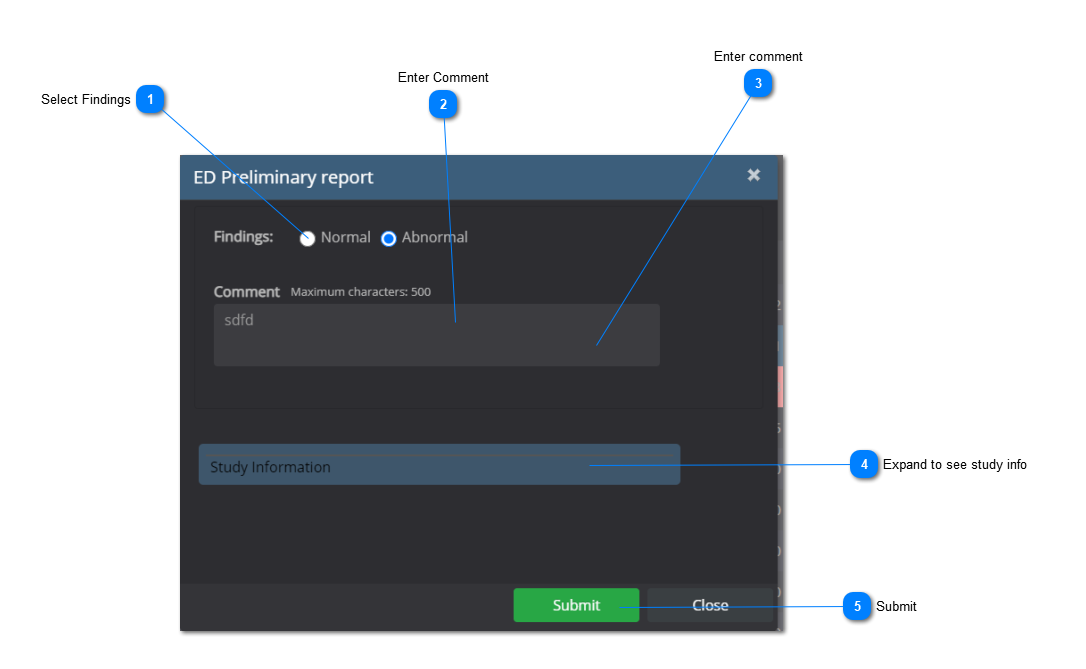
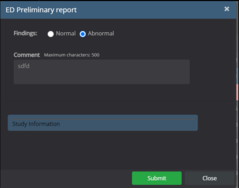
3. A new window will appear. Choose whether the study is normal or abnormal. Leave a comment and click 'Submit' when you are done.
4. The study icon in the Discrepancy column will be updated showing  as the icon indicating an emergency.
To set an emergency on the viewer, follow the instructions below:
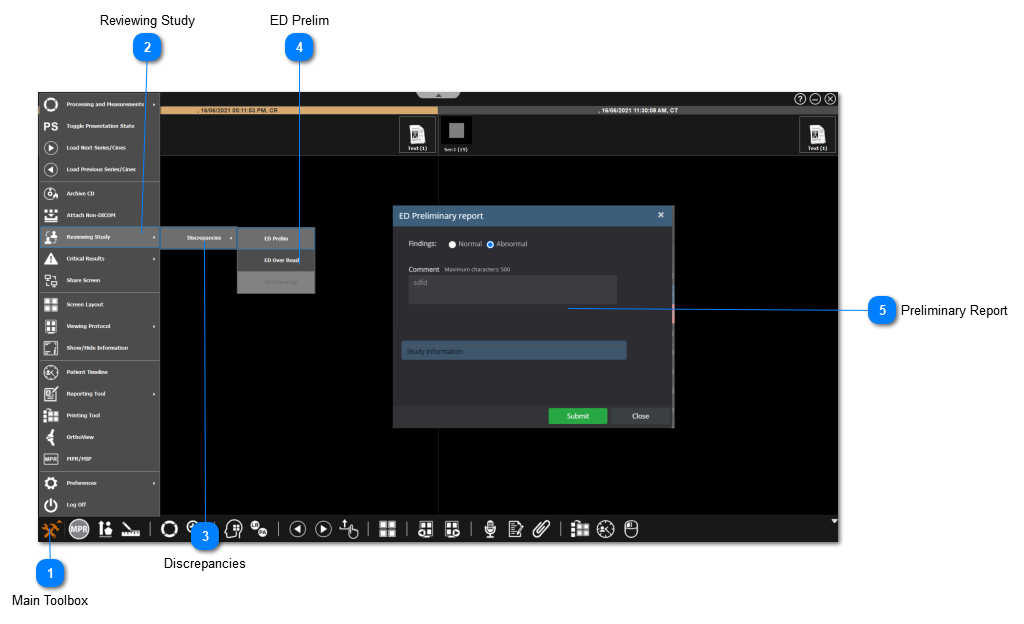
 Main ToolboxClick on the main toolbox from the bottom left corner.
|
|
 Reviewing StudySelect 'Reviewing Study' from the drop-down menu.
|
|
 DiscrepanciesSelect 'Discrepancies' from the menu.
|
|
 ED PrelimClick on 'ED Prelim' to make a preliminary report and set the study as an emergency.
|
|
 Preliminary ReportChoose whether the study is normal / abnormal, leave a comment, and click on 'Submit' when you are done.
|
|