The cursor tool enables the user to measure the voltage of the ECG waveform at any time point. Follow the instructions below to learn how to use this:
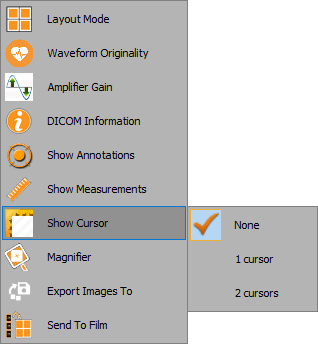
1. Right click anywhere on the waveform window
2. From the dropdown list, select ‘Show cursor’ and then choose 1 / 2 cursors:
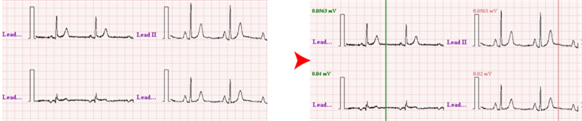
In the example below, two cursors are in view:
Cursor 1 is shown in green and cursor 2 in red.