Ultima User Guide (c) Copyright by PaxeraHealth Corp. 2021
11.1.2. Structural Report Settings
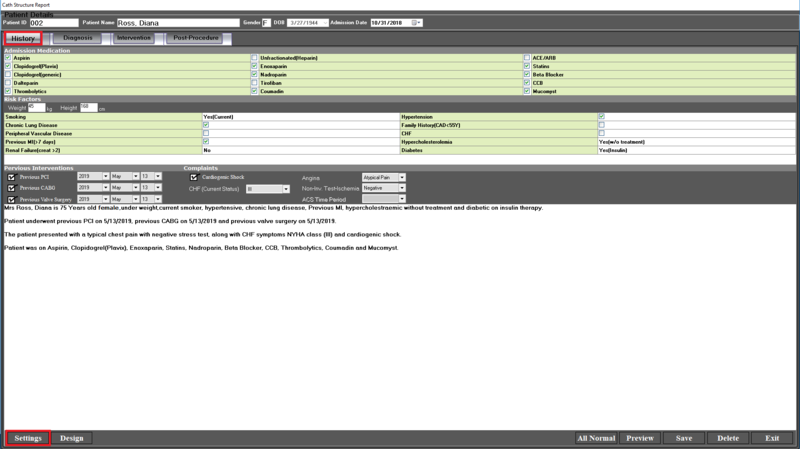
The report setting is used to edit the information tags used in the cath report. To open the report settings, make sure you have the ‘History’ report section selected and then click on ‘Settings’ as shown below:
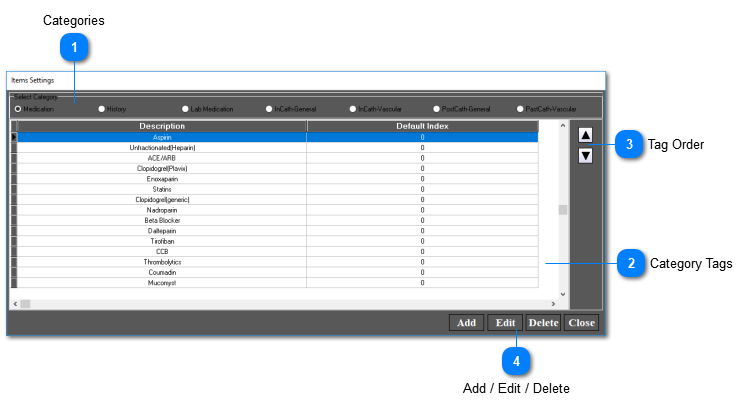
The report settings window appear, an overview of it is given below:
•Category tags- contains all the specific tags for the selected category
•Add tag- see below for instructions on how to add a tag.
•Edit tag- select a tag of interest and click on the ‘Edit’ button.
•Delete tag- select a tag of interest and click on the ‘Delete’ button.
•Adjust order of tags- select a tag-of-interest and use the arrows to shift the tag up/down in the list.
Add tag
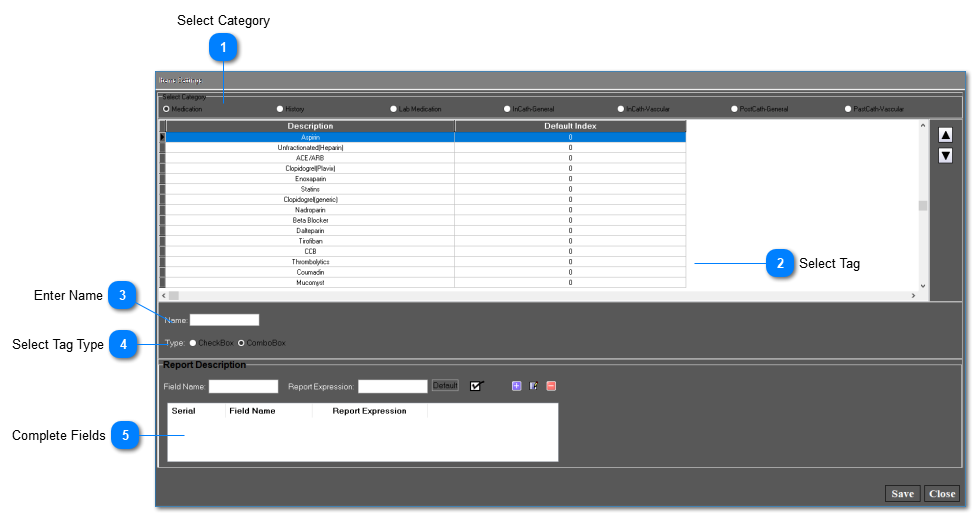
To add a tag from the report settings window, follow the instructions below:
1. Select the category of interest
2. Select a tag of interest
3. Type in the tag name
4. Select either CheckBox or Combo box.
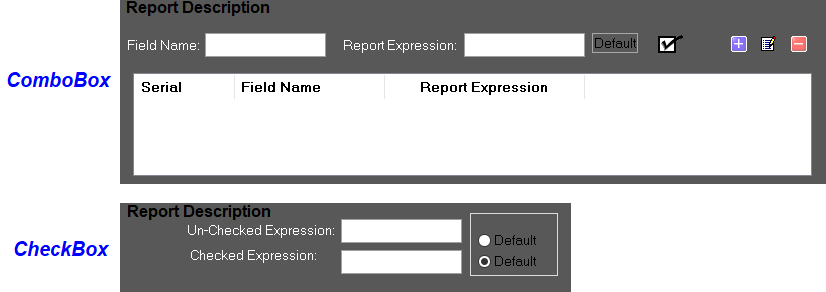
5. Fill in the report description fields; these will differ depending on whether a CheckBox or ComboBox was chosen in previous step. Both are shown below: