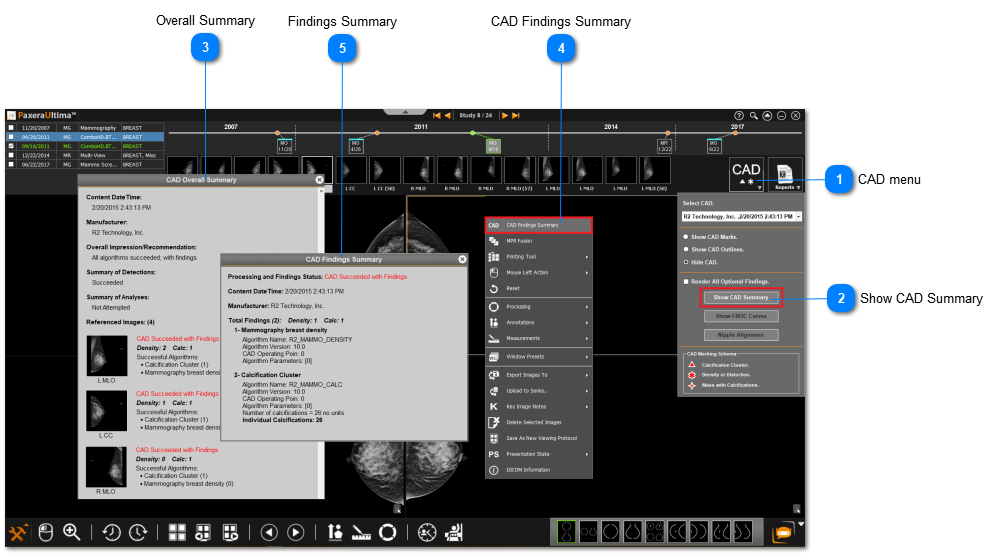
To view the overall CAD summary or CAD findings summary, follow the instructions below:
 CAD menuClick on the CAD menu on the top right corner of the series panel adjacent to the report icon.
|
|
 Show CAD SummaryMethod One: Click on 'Show CAD Summary' from the CAD menu.
|
|
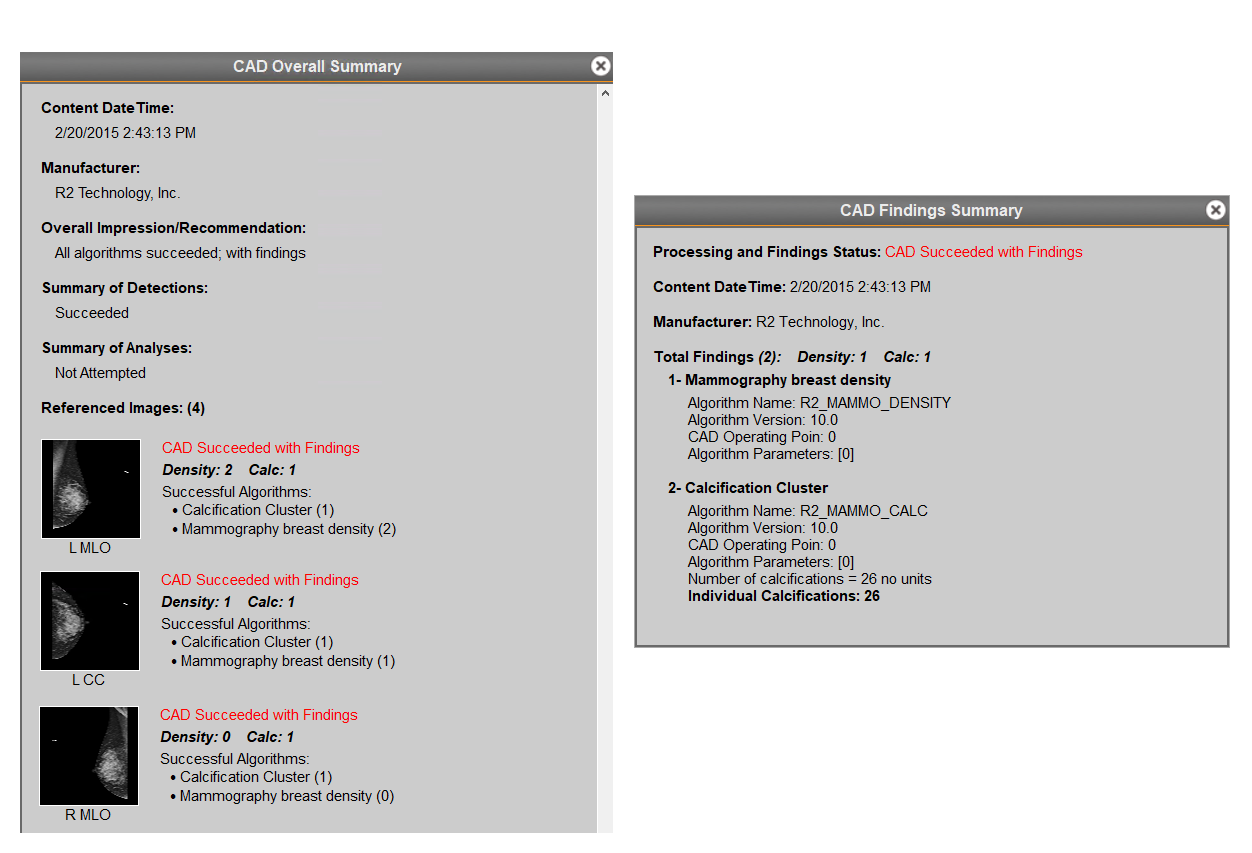
 Overall SummaryView the CAD summary including the images.
|
|
 CAD Findings SummaryMethod Two: Right-click on the image and select 'CAD Findings Summary'.
|
|
 Findings SummaryView the CAD findings summary excluding the images.
|
|
Overall Summary vs. Findings Summary: