Ultima User Guide (c) Copyright by PaxeraHealth Corp. 2021
10.3.0. FROC
The free response-operating curve (FROC) is only accessible with the CAD outline findings. It is not acquired in all MG studies, if the parameters have been acquired it will be shown.
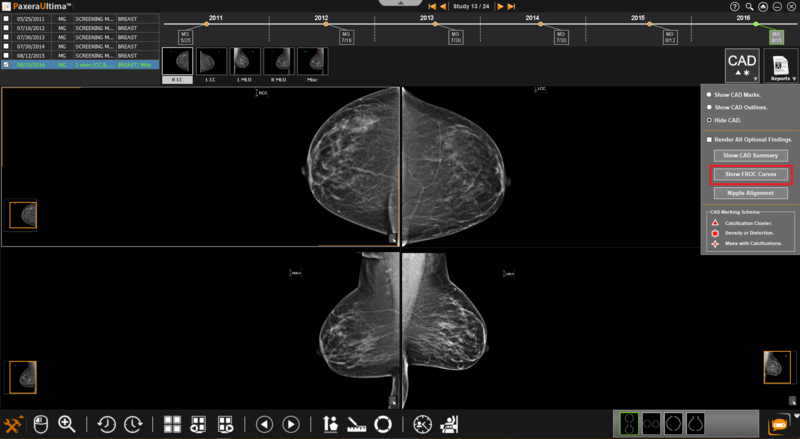
To access the FROC graph, follow the instructions below:
1. Click on the ‘CAD menu’ button (A) and then on the ‘Show FROC curves’ button:
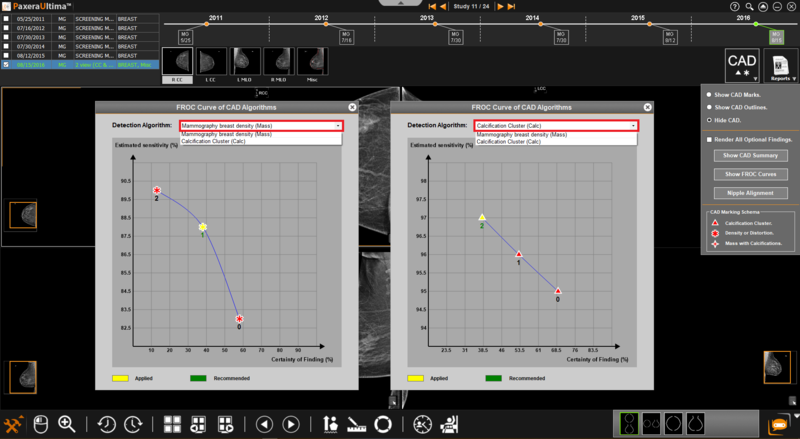
2. A new window will appear with the FROC curve, choose the FROC detection algorithm of interest, as shown below:
» Finding 0 is mandatory and must be displayed.
» Each finding has a case sensitivity, but not all software acquires this data.
FROC number
Hover over the image finding in the study viewer to see its FROC number.