9.1.0. Hounsfield Number (HU)
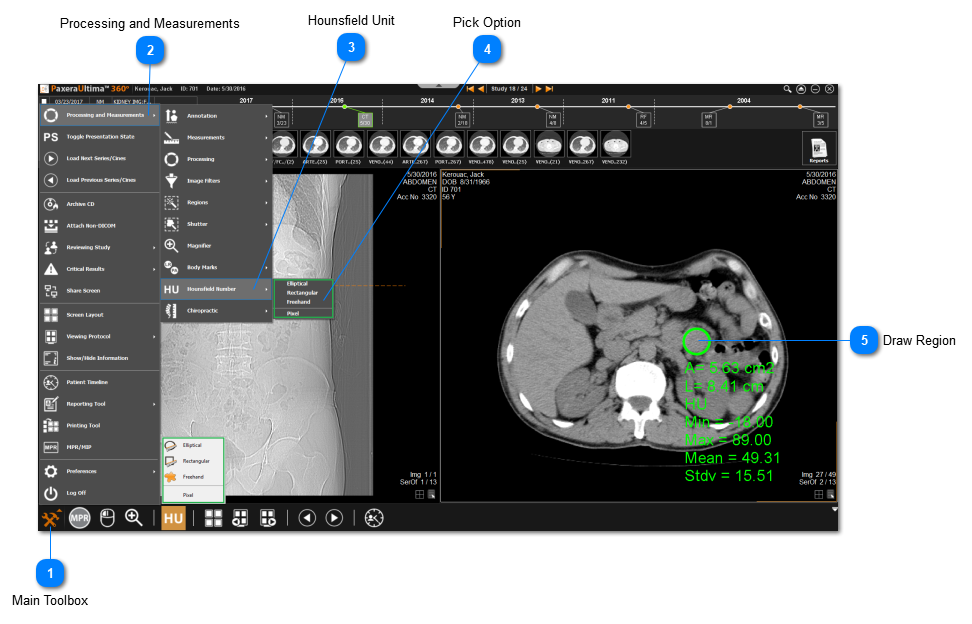
To calculate HU for an image, folllow the instructions below:
-
Click on the Main Toolbox on the bottom left corner or select HU from the bottom shortcuts panel.
-
Click on Processing and Measurements.
-
Click on Hounsfield Number.
-
Select the method of collecting HU.
-
Draw the region or click on a point for pixel.
 This option will only be available if a computer tomography study (CT) is open.