Ultima User Guide (c) Copyright by PaxeraHealth Corp. 2021
9.10.0. Dental Teeth Chart
The dental teeth chart is used to automatically determine the teeth labels in a specific dental image. Follow the instructions below to access the teeth chart when a dental study is open:
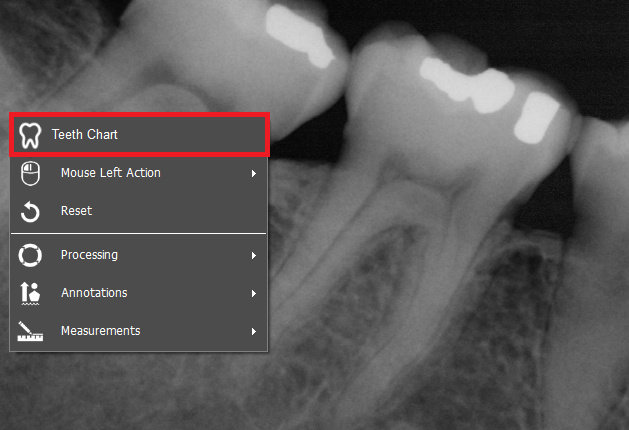
1. Right click on the image of interest from the study viewer
2. A dropdown list will appear, click on ‘Teeth chart’, as shown below:
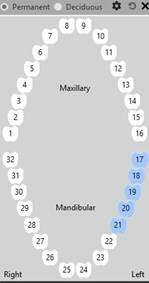
3. The teeth chart will appear:
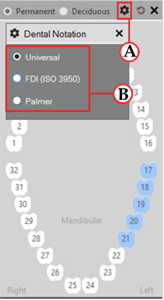
4. To change the dental notation, simply click on the ‘Settings’ button (A)and then choose the dental notation of interest (B):