8.1.0. Installing the Viewer
The user will need to install the Ultima Plugin the first time the study viewer is used.
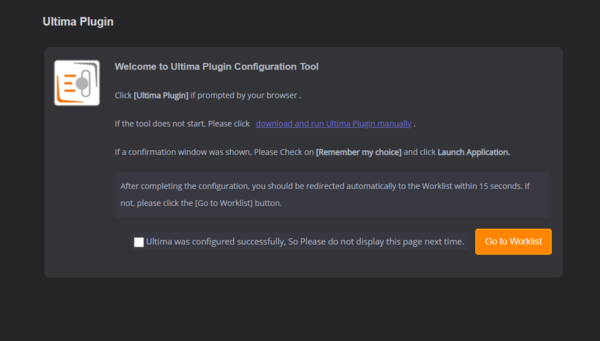
When the user opens a study for the first time, a screen will appear as shown belwo:
-
Double click on the Ultima- Plugin.exe file in the bottom left corner of the screen and it will install automatically.
-
Check the checkbox if the plugin installs successfully, so that the configuration page does not show next time
-
If you have been not redirected to the WorkList within 15 seconds, simply click on the ‘Go To WorkList’ button.