Ultima360
User guide
×
Menu
Index

6.6.0. Share Anonymized Images to Cloud Drive / Social Media Account

 
This tool enables you to anonymously share images online via: Facebook, Twitter, or Cloud Drives (Box, Dropbox, OneDrive, GoogleDrive)  for academic or discussion purposes. Simply follow the steps below:
 
6.6.0. Share Anonymized Images to Cloud Drive / Social Media Account
1
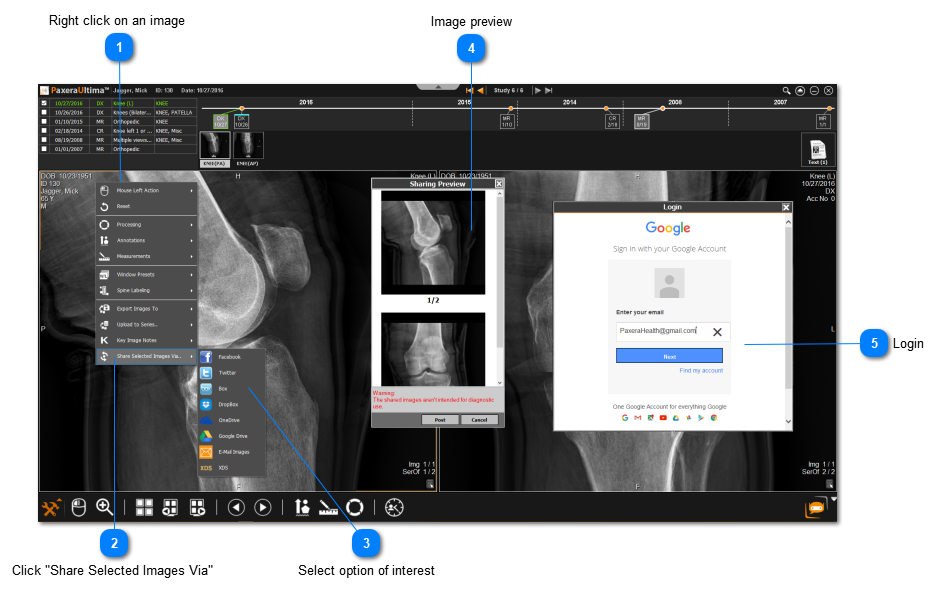
Right click on an image
Right click on the image of interest, or use the 'Ctrl' button on the keyboard to select multiple image windows
 
2
Click "Share Selected Images Via"
2. Click "Share Selected Images Via"
 
3
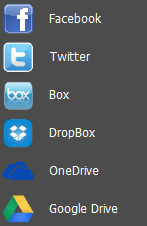
Select option of interest
Choose from Facebook, Twitter, Box, DropBox, OneDrive, or Google Drive:
3. Select option of interest
 
4
Image preview
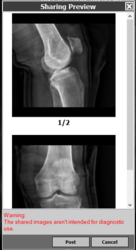
A preview of the annonymized images will be shown, when you have confirmed that its correct, click "Post" :
4. Image preview
 
5
Login
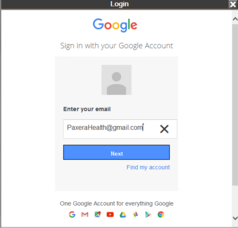
Login to the social media platform or cloud account chosen in step #3, below shows an example of logging into Google Drive: 
5. Login
Once you login, you will be able to share the images to that platform.
In compliance with HIPAA, shared images will NOT have any patient info on it (anonymized).