Ultima User Guide (c) Copyright by PaxeraHealth Corp. 2021
6.4.0. Share Study Using Secure URL
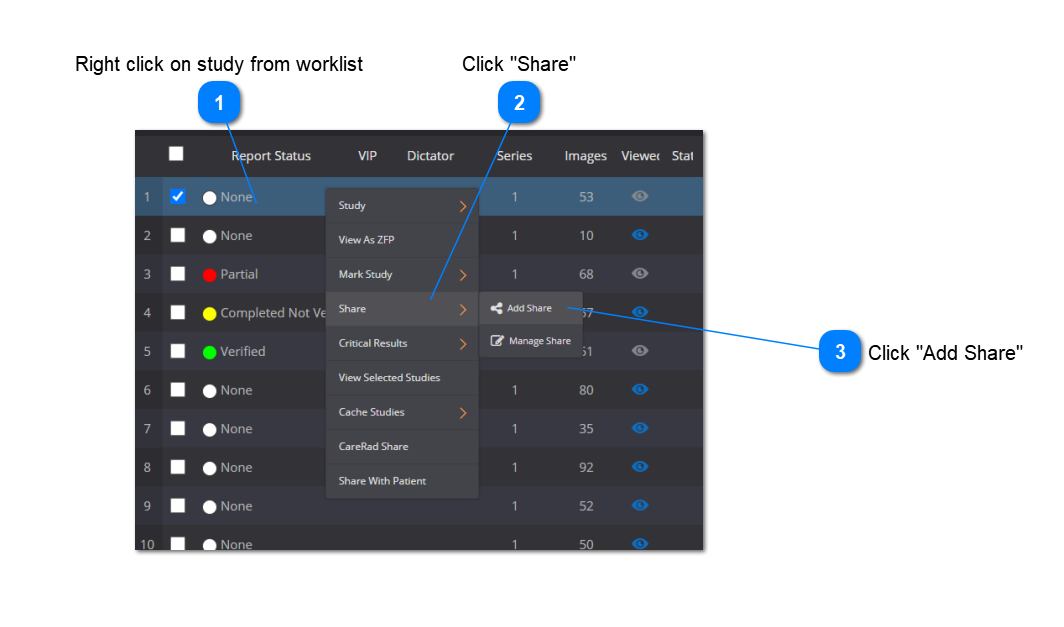
This feature enables you to share a study via a secured unique URL and it can be viewed in the Zero Footprint (ZFP) viewer, on any web-browser. From more information on the ZFP, see ZFP Viewer.
Choose to share the study with everyone or only with specific users on the system. Also, learn how to manage the shared studies - all of these features are explained below:
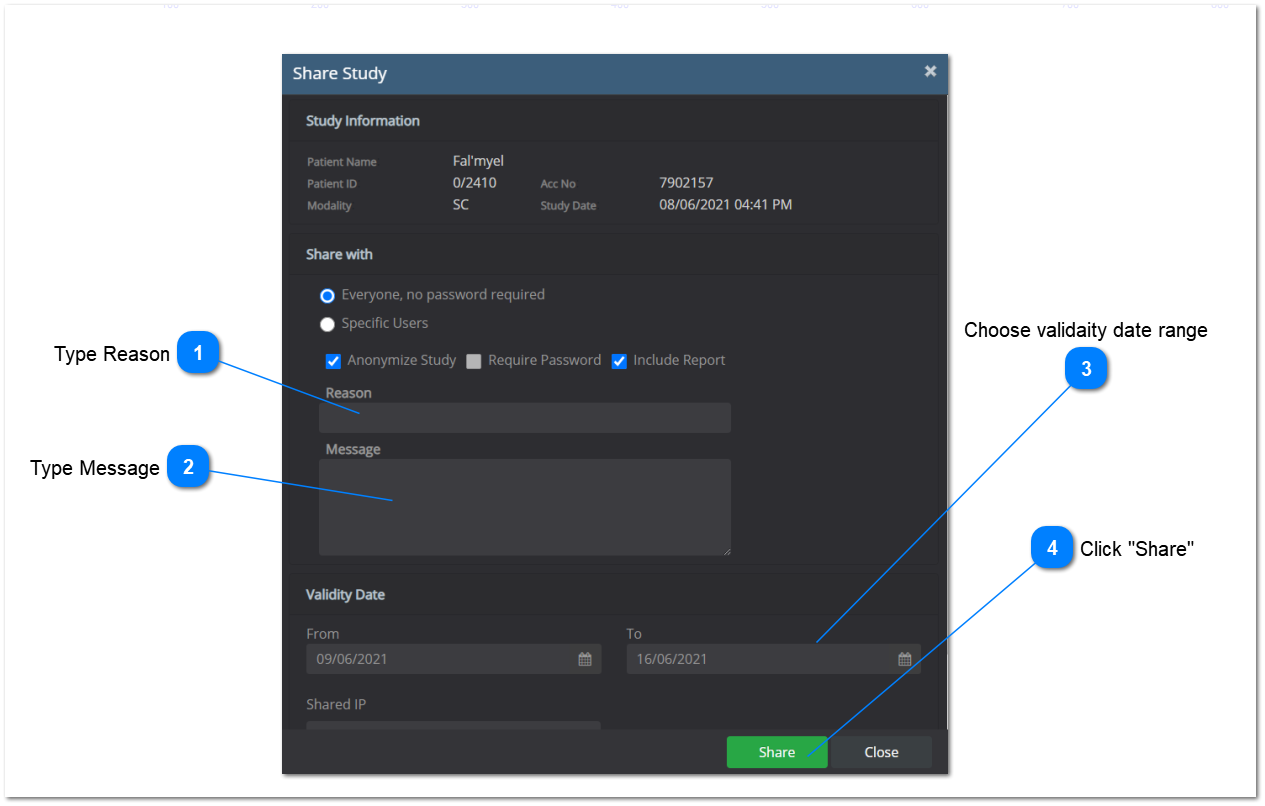
A new window will appear:
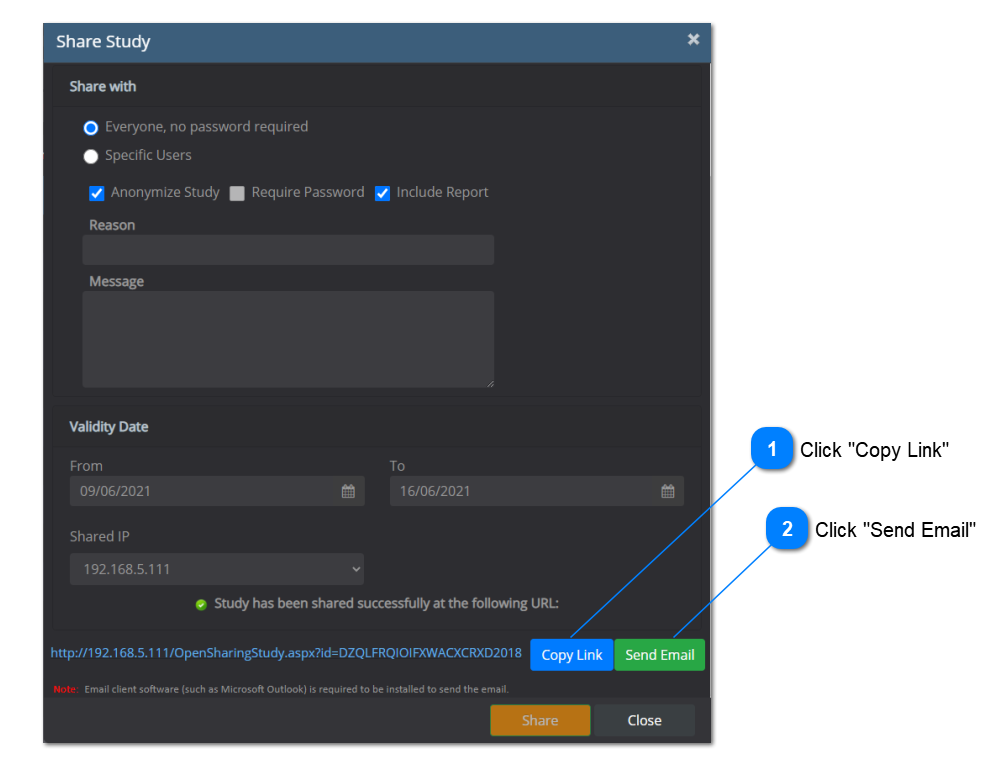
A message will now show that the study has been shared successfully and a URL will be given.
Paste the link in a note pad file or an email for sharing.
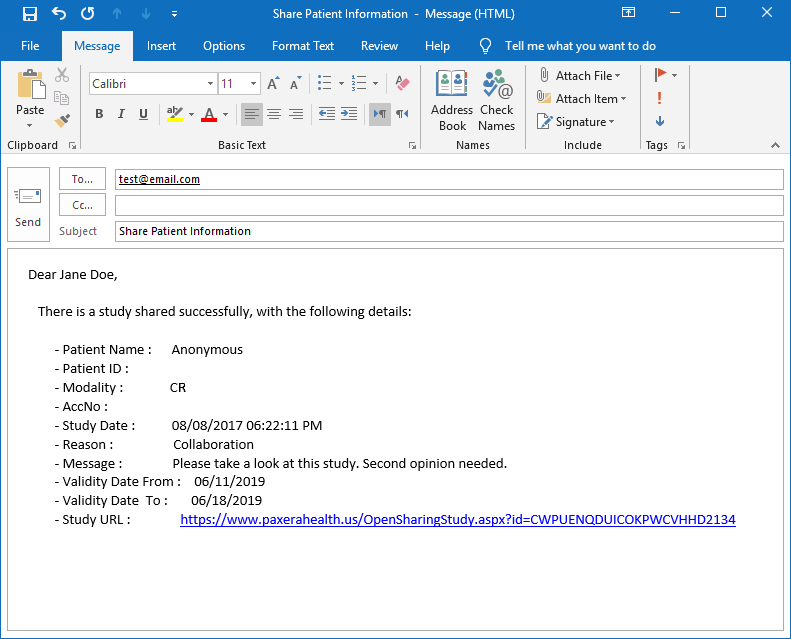
Sample Email Template:
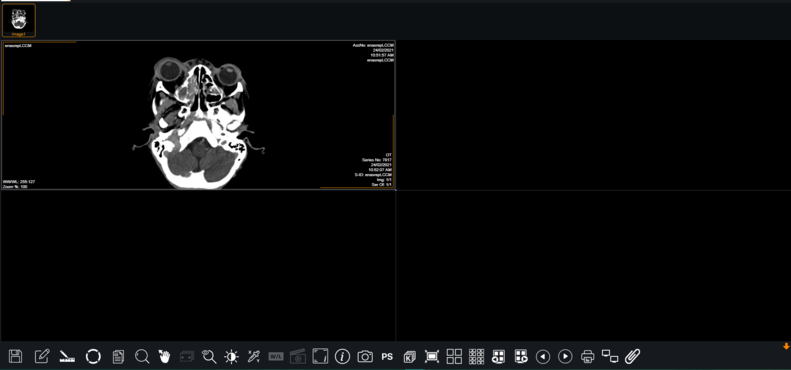
When the recipient clicks on the link, the study will open on the ZFP viewer (as shown below):
The contents of 6.4.0. Share Study Using Secure URL