Ultima360
User guide
×
Menu
Index

6.1.0. Send to PACS

 
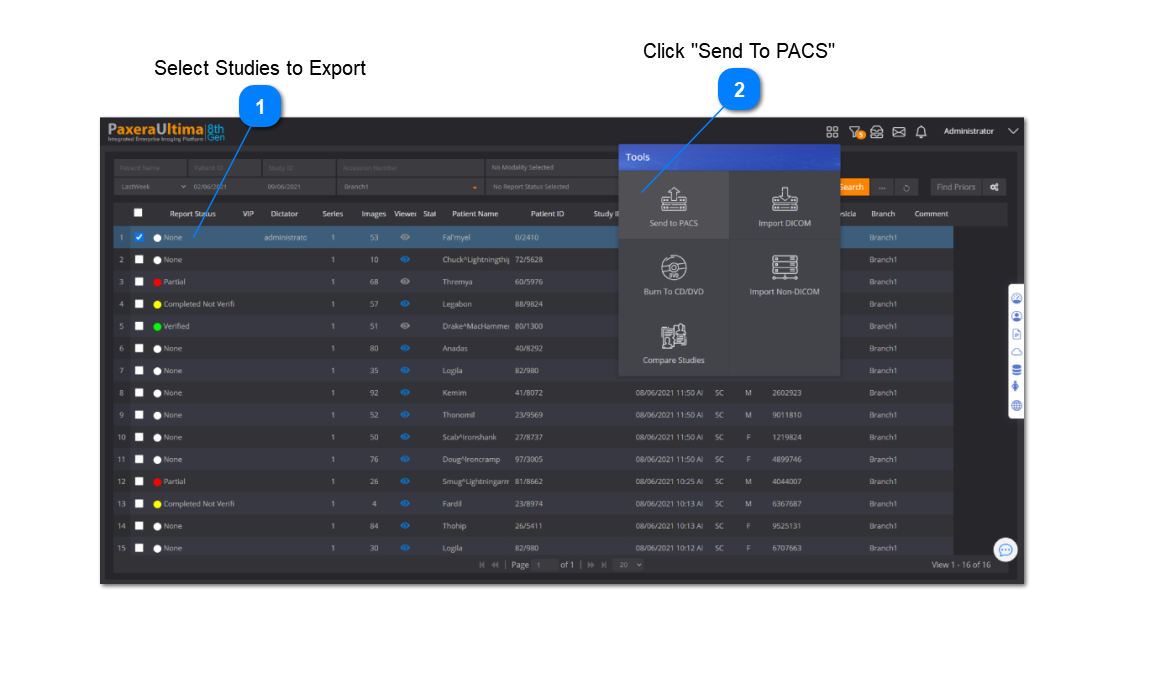
The Send to PACS tool enables the user to send DICOM studies to any DICOM node or directly into another PACS.
 
To Send to PACS, follow the steps below:
 
 
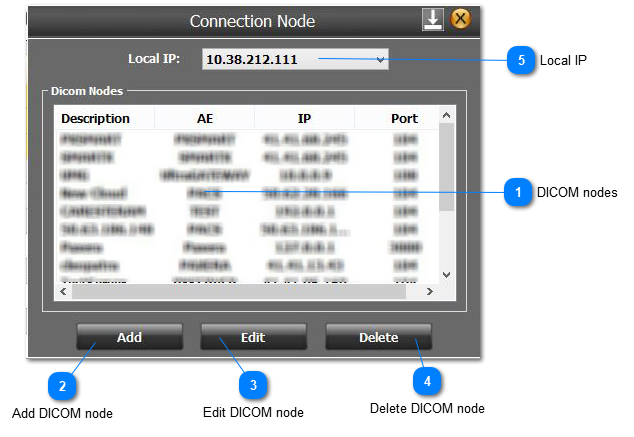
A new window will appear. It shows a list of existing DICOM nodes along with options to add a new DICOM node or edit/delete existing DICOM nodes as shown below:
 
6.1.0. Send to PACS
 
 
1
DICOM nodes
1. DICOM nodes
Double click on a DICOM node of interest to start the send. The user will see the following window:
 
2
Add DICOM node
2. Add DICOM node
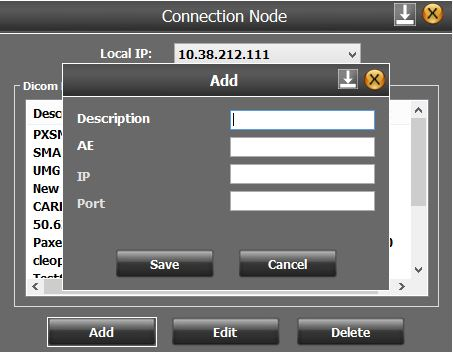
Click on "Add" to Add a DICOM node, a new window will show, enter the Description, AE, IP, and Port::
 
3
Edit DICOM node
3. Edit DICOM node
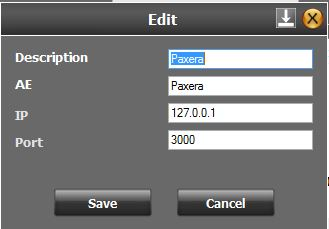
Click "Edit" to edit the information of an existing DICOM node, a new window will show and you can edit any of the info and save it:
 
4
Delete DICOM node
4. Delete DICOM node
Select a DICOM node from the list and click on "Delete" to remove the connection
 
5
Local IP
5. Local IP
Used to change the local IP address being used to send studies.