Ultima User Guide (c) Copyright by PaxeraHealth Corp. 2021
4.1.0. Edit Study Information
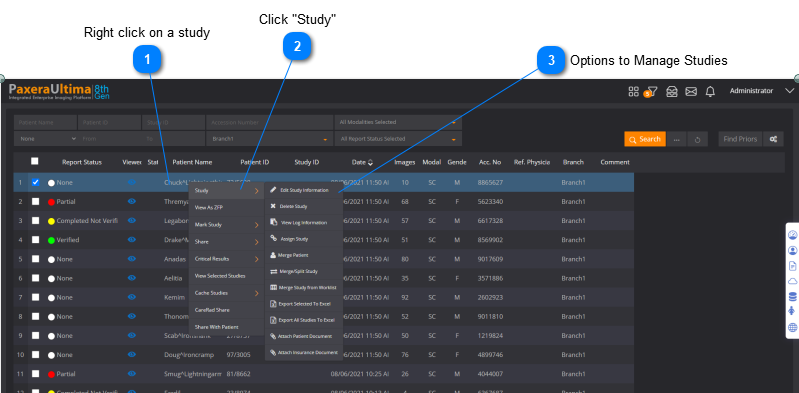
The study and patient information can be edited if the user account has permission to do so. To edit the study informaton, follow the steps below:
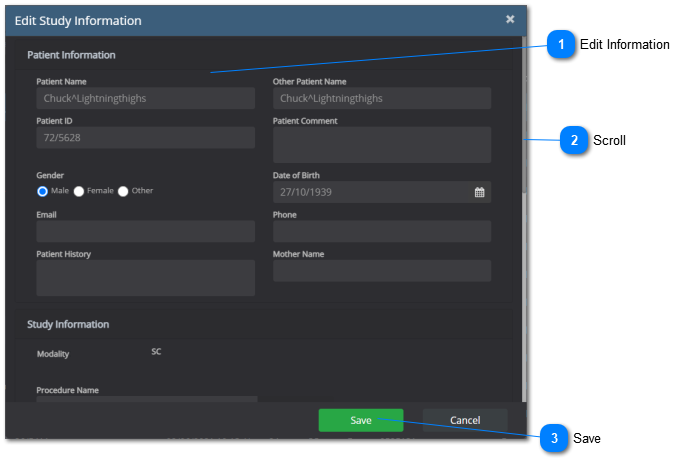
A new window will appear:
The new patient and/or study information will now be saved.
SQL Database
The study / patient information is only changed on the front end application, however, the back-end database will always maintain the original information.
Edit Information
Edit any of the patient or study information fields shown in the window.