Ultima User Guide (c) Copyright by PaxeraHealth Corp. 2021
2.2.2. Study Viewer
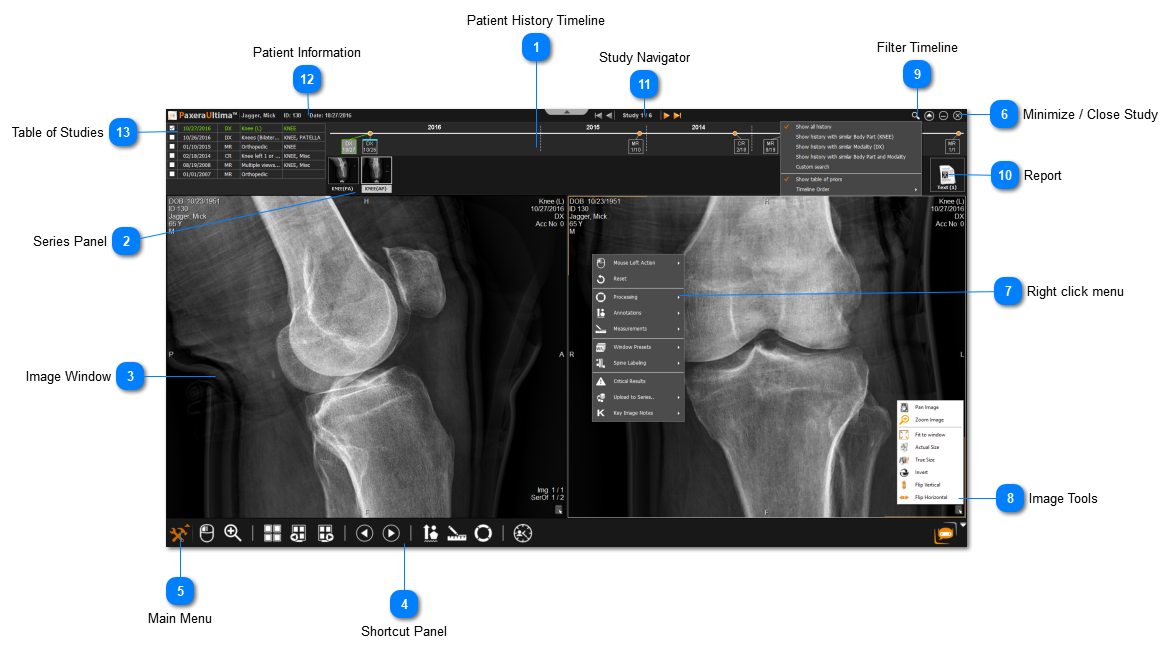
The study viewer is opened when you open a study. Below is an overview:
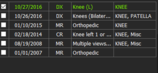
Patient History Timeline
The patient history timeline shows a full previous of all the patients current and prior studies
Each block represents a study and shows the modality type and date
The green block indicates that the study is open
To add a study to view (i.e. for current/prior comparison) simply drag in a second block from the patient timeline into the image window - the study will be added & the view will be split to see both the current & prior
To view only one study - simply double click on the block of interest from the patient timeline
In the bottom left corner of the screen is a Orange toolbox button - this gives the user access to the main menu which shows all the tools avaiable in Ultima.
The user can filter the timeline to have it show studies according to similar anatomy, modality, or both. Use the drop down menu to filter the timeline and you can also change the order from ascending/descending.