To properly display this page you need a browser with JavaScript support.
Ultima360
User guide
×
Menu
Index
Search
Search
Search
2.0.0. Getting Started
2.1.0. Sign In
2.1.4. Log Out
Previous page
Next page
Ultima User Guide (c) Copyright by PaxeraHealth Corp. 2021
To properly display this page you need a browser with JavaScript support.
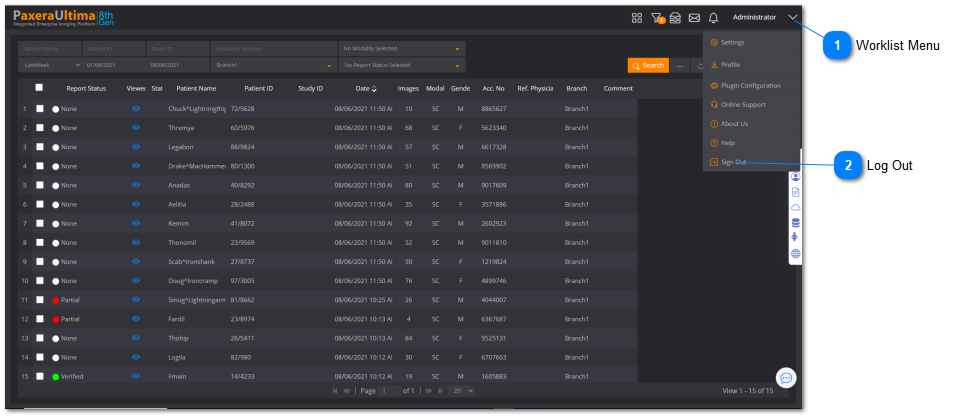
2.1.4. Log Out
It is good practice to log out of the system when you are finished using it, to do so:
Worklist Menu
Click on the downward pointing arrows in the top right corner of the worklist screen
Top
Log Out
Click on the last option in the menu - Sign out
Top