20.1.2. Add Patient Login
This feature enables the user to share the study to the patient login so that the patient can access it from their patient portal.
To add a patient login to a study, simply follow the instructions below:
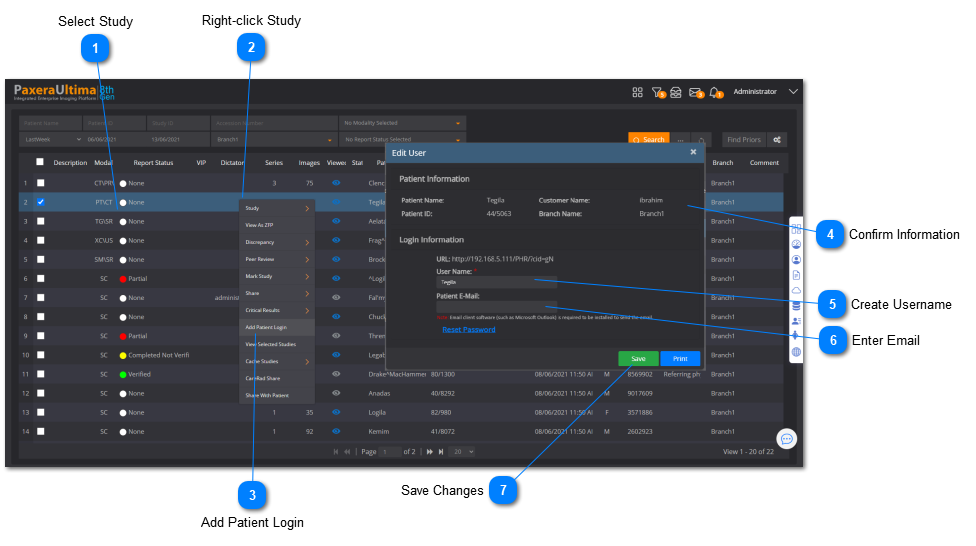
 Select StudySelect the study-of-interest from the worklist.
|
|
 Right-click StudyRight-click on the study and a menu will appear.
|
|
 Add Patient LoginClick 'Add Patient Login' from the dropdown menu.
|
|
 Confirm InformationConfirm the patient and study information.
|
|
 Create UsernameCreate a username for the patient.
|
|
 Enter EmailEnter the patient's email address.
|
|
 Save ChangesClick on 'Save' to save changes to the patient portal. The patient login will now be activated.
|
|
 Patient portal admin
 To access the patient portal admin in order to view, edit, and control patient portal links, click here.