Ultima User Guide (c) Copyright by PaxeraHealth Corp. 2021
14.3.0. Portal Admin
The patient portal admin enables the user to view the patients portal details, to create new patient por- tal details, and to general URLs for access to studies. To access the patient portal admin, simply follow the instructions below:
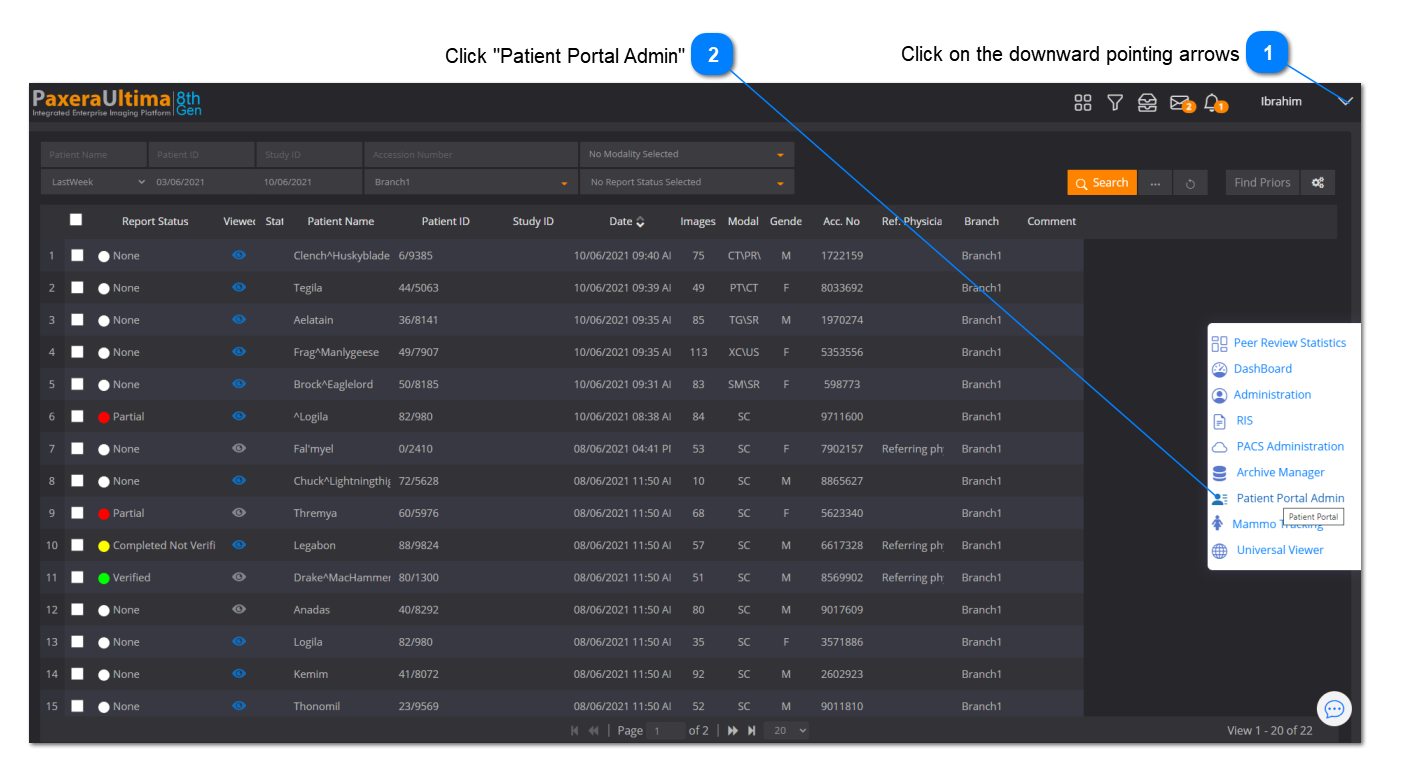
1. Click on the ‘Arrow’ button located in the top right corner of the worklist screen, and then click on ‘Patient Portal Admin’:
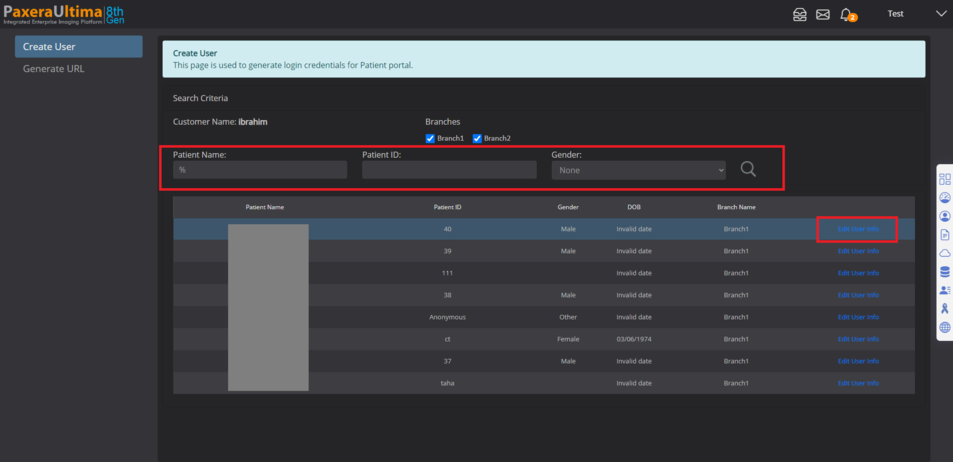
2. The main Patient portal admin page will load. The user can create a patient portal login, or general a URL for a study. Both of these options are described below:
Create patient login
Click on ‘Create user’, enter the search criteria of the patient, select the branch, and click on search. The patient name will be shown in the search results panel, click on ‘Edit user info’.
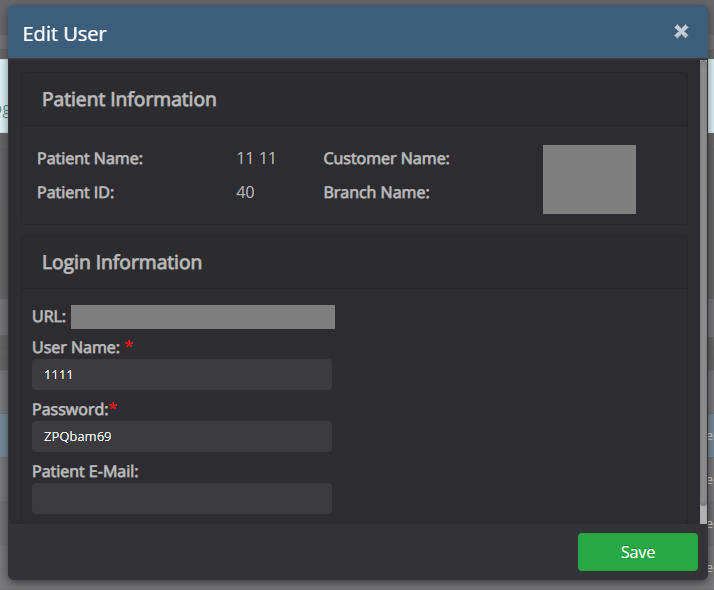
A new window will appear with the patient and login information. Confirm patient information, fill in the username / password / email address of the patient, then click on the ‘Save’ to save changes.
Generate URL
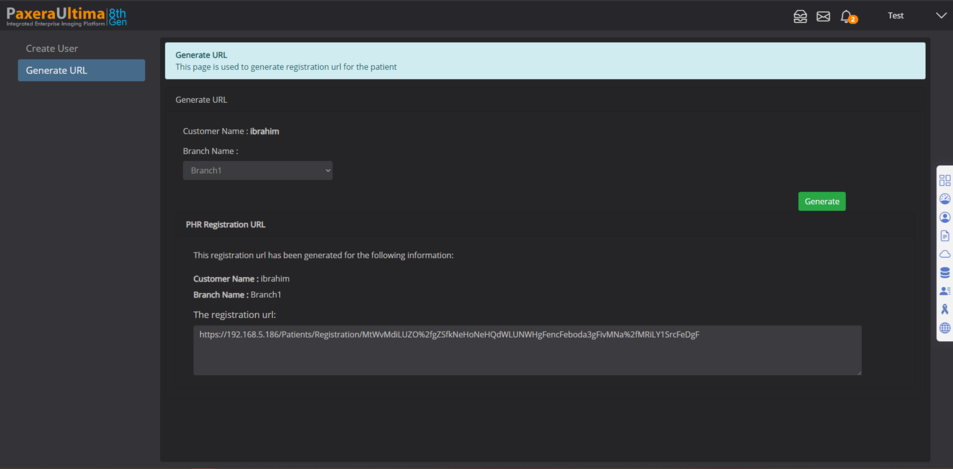
Click on ‘Generate URL’, select the branch name and then click on the ‘Generate’ button:
Then the registration URL will be given and the user can copy this URL.