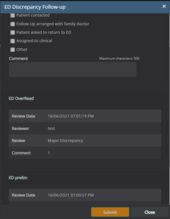
16.2.4. Discrepancy Follow-up
There are two methods for ED discrepancy follow-up:
-
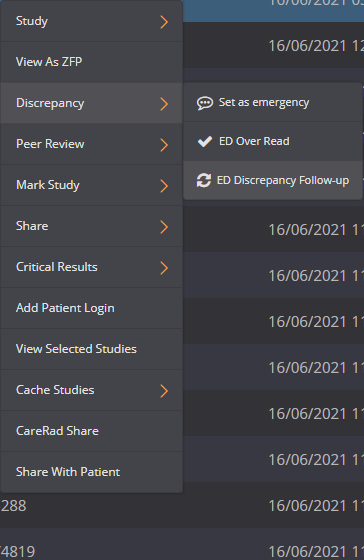
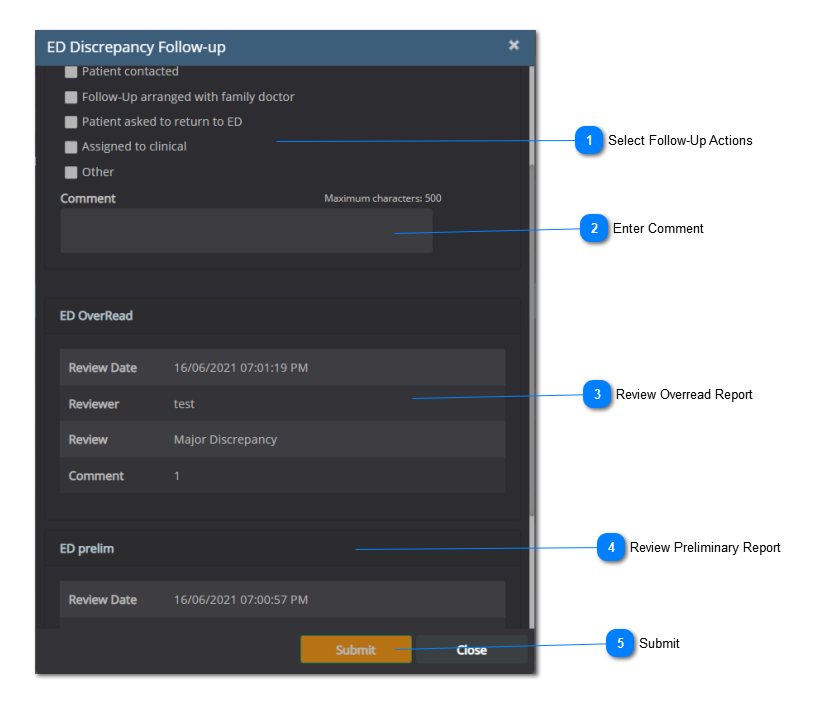
Record follow-up on the worklist.
-
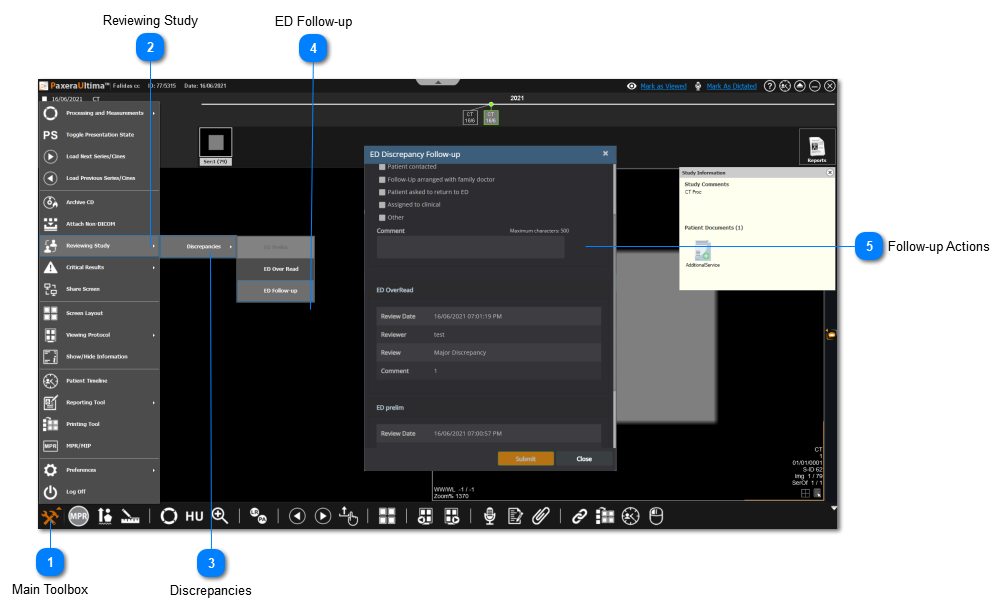
Record follow-up on the study viewer.
 To follow-up on an ED discrepancy from the worklist, see the instructions below:
To follow-up on an ED discrepancy from the viewer, see the instructions below:
 Main ToolboxClick on the main toolbox from the bottom left corner.
|
|
 Reviewing StudySelect 'Reviewing Study' from the drop-down menu.
|
|
 DiscrepanciesSelect 'Discrepancies' from the menn.
|
|
 ED Follow-upClick on 'ED Follow-up' to record follow-up actions for the patient.
|
|
 Follow-up ActionsSelect the appropriate follow-up actions, leave a comment, and click on 'Submit' when you are done.
|
|


 or
or  )
)